

MD Akther Hossen
good video
 (21 reviews)
 24 Lessons
 1.4K Students
What is image manipulation in Photoshop? Photograph manipulation involves the transformation or alteration of a photograph using various methods and techniques to achieve desired results. ... Ansel Adams employed some of the more common manipulations using darkroom exposure techniques, burning (darkening) and dodging (lightening) a photograph. What is the difference between photo editing and photo manipulation? The application of photo editing is mainly for printing, advertisements, magazines, logo creation, website images, etc. At the same time, photo manipulation is done for attracting more customers by providing a different look, as in case of the requirements of animation companies. What are the techniques of image manipulation? Photo manipulation techniques can be difficult master, but not hard to experiment with. ... These ten examples are in no particular order of importance. Rendering Your Images. ... Shadows. ... Proportion. ... Texture Use. ... Picking Stock Images. ... Color Blending. ... Emphasis on Detail. ... Combining Multiple Images. What is editing a picture? Photo editing is the changing of images. These images can be digital photographs, illustrations, prints, or photographs on film). Some types of editing, such as airbrushing, are done by hand and others are done using photo editing programs like Photoshop, Gimp and Microsoft Paint. What does Photoshop do to photos? Photoshop CC is an advanced imaging software used by designers, web professionals, video editors, and photographers to alter or manipulate digital images. Photoshop is primarily used to edit 2D images, although it does offer some 3D image editing functionality. What's a good photo editing app? What are the best photo editing apps? PicsArt. Best photo editing app overall. ... Snapseed. Best photo editing app for serious photographers. ... Adobe Photoshop Camera. Adobe's AI brings out the best in your photos. ... Pixlr. Great for casual photographers. ... Adobe Lightroom. ... Instagram. ... Google Photos. ... Facetune 2.
 To Register in Course you have to watch at least 30 Second of any lesson
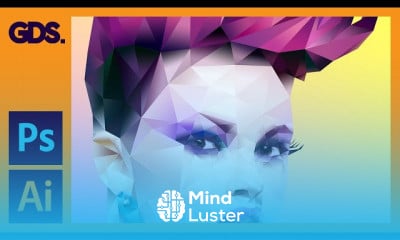
 Master advanced photo manipulation techniques using Adobe Photoshop for creative and professional results
Apply layer blending, masking, and selection tools to seamlessly combine multiple images and textures
Utilize color correction, blending modes, and adjustment layers to enhance visual impact and mood
Create realistic shadows, lighting effects, and depth to add dimension to manipulated images
Implement retouching, skin smoothing, and detail enhancement for high-quality photo edits
Design compelling compositions by manipulating proportions, perspectives, and focal points
Use stock images, textures, and digital assets effectively to enrich photo projects
Develop skills in rendering, emphasizing details, and emphasizing key elements for storytelling
Troubleshoot common Photoshop challenges to optimize workflow and achieve precise image manipulation
Apply ethical considerations and best practices in photo editing and manipulation for authentic results
24 Lessons • 12 h 52 m total
 You must have an
Account
on the platform.
Complete all lessons.
Watch at least 50% of Lesson Duration.
Get your Certificate free 🎉 !
4.4
(21 reviews)
Overall rating

Be the First One Review This Course
good video

Good.

it is brilliant

amazing

happy with is platform

Super
Nice classes
I love it
good
Good
It would be very great if we can have access to the Photoshop AI download link...
could you give us the link to download the app that you show us so we can practice with it

What is image manipulation in Photoshop? Photograph manipulation involves the transformation or alteration of a photograph using various methods and techniques to achieve desired results. ... Ansel Adams employed some of the more common manipulations using darkroom exposure techniques, burning (darkening) and dodging (lightening) a photograph. What is the difference between photo editing and photo manipulation? The application of photo editing is mainly for printing, advertisements, magazines, logo creation, website images, etc. At the same time, photo manipulation is done for attracting more customers by providing a different look, as in case of the requirements of animation companies. What are the techniques of image manipulation? Photo manipulation techniques can be difficult master, but not hard to experiment with. ... These ten examples are in no particular order of importance. Rendering Your Images. ... Shadows. ... Proportion. ... Texture Use. ... Picking Stock Images. ... Color Blending. ... Emphasis on Detail. ... Combining Multiple Images. What is editing a picture? Photo editing is the changing of images. These images can be digital photographs, illustrations, prints, or photographs on film). Some types of editing, such as airbrushing, are done by hand and others are done using photo editing programs like Photoshop, Gimp and Microsoft Paint. What does Photoshop do to photos? Photoshop CC is an advanced imaging software used by designers, web professionals, video editors, and photographers to alter or manipulate digital images. Photoshop is primarily used to edit 2D images, although it does offer some 3D image editing functionality. What's a good photo editing app? What are the best photo editing apps? PicsArt. Best photo editing app overall. ... Snapseed. Best photo editing app for serious photographers. ... Adobe Photoshop Camera. Adobe's AI brings out the best in your photos. ... Pixlr. Great for casual photographers. ... Adobe Lightroom. ... Instagram. ... Google Photos. ... Facetune 2.
Experience the full power of Mindluster with Premium.
No distractions, just pure education.
Cancel your subscription anytime