

Robert Thompson
Great course to study.
 (202 reviews)
 2 Lessons
 973 Students
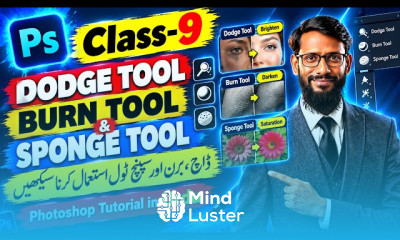
5 steps 1. Insert a panorama into photoshop by clicking File>Open. The final result is better if you use a 360˙ image but a wide angle or smaller panorama works too ... 2. After that, click Image>Image Size. Now unselect the 'Constrain Proportions' box and change the height of the image to the same as the width. 3. Now go to Image>Image Rotation>180˙. Your image should now look similar to this: What is the best Photoshop for beginners? 1. Adobe Photoshop Elements. Ideal for beginner and intermediate photographers, this photo editing software is a simpler version of its big brother, the industry-grade Adobe Photoshop. It has all the necessary features you need to organize, edit, and share your photos.
 To Register in Course you have to watch at least 30 Second of any lesson
 Create a photo planet effect by manipulating panoramic images in Photoshop using advanced resizing and rotation techniques
Apply Photoshop tools to transform wide-angle and 360° images into immersive planetary visuals for creative projects
Utilize image size adjustments and rotation features in Photoshop to craft seamless photo planet effects for digital art and photography
Develop skills to enhance panoramic images with Photoshop for realistic and visually appealing photo planet compositions
2 Lessons • 23 m total
You must have an
Account
on the platform.
Complete all lessons.
Watch at least 50% of Lesson Duration.
Get your Certificate free 🎉 !
4.4
(202 reviews)
Overall rating

Be the First One Review This Course
Great course to study.

wow so good

Nice
Good

nice

awesome
Nice 👍👍👍🙂

Very nice
Awesome
Ok

Nic I am very happy

Good

5 steps 1. Insert a panorama into photoshop by clicking File>Open. The final result is better if you use a 360˙ image but a wide angle or smaller panorama works too ... 2. After that, click Image>Image Size. Now unselect the 'Constrain Proportions' box and change the height of the image to the same as the width. 3. Now go to Image>Image Rotation>180˙. Your image should now look similar to this: What is the best Photoshop for beginners? 1. Adobe Photoshop Elements. Ideal for beginner and intermediate photographers, this photo editing software is a simpler version of its big brother, the industry-grade Adobe Photoshop. It has all the necessary features you need to organize, edit, and share your photos.
Experience the full power of Mindluster with Premium.
No distractions, just pure education.
Cancel your subscription anytime