


Shubham Parsoya
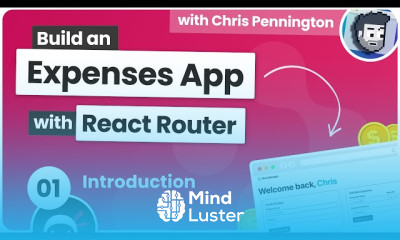
Build a Budgeting App with React Router Certificate
 (44 reviews)
 16 Lessons
 39 Students
Build a Budgeting App course, in this course we will learn about building a Budgeting App from the ground up. You'll gain hands-on experience designing and developing a user-friendly interface, integrating data storage for financial information, and implementing essential programming concepts. By the end, you'll have the skills to create a custom app that empowers users to efficiently manage their finances, track income and expenses, and generate financial reports. Join us to master the art of financial application development and enhance your financial management capabilities.
 To Register in Course you have to watch at least 30 Second of any lesson
 Create dynamic budgeting interfaces using React Router for seamless navigation and user experience
Implement data storage solutions to securely manage financial data in budgeting applications
Design user-friendly layouts for income, expense tracking, and financial report visualization
Integrate React components with backend APIs for real-time financial data updates and management
Apply essential programming concepts like state management, routing, and component lifecycle in React
Develop features for tracking income, expenses, and generating detailed financial reports
Optimize app performance and responsiveness for various devices and screen sizes
Enhance financial management skills through building a practical budgeting app with React and routing
16 Lessons • 3 h 14 m total
 You must have an
Account
on the platform.
Complete all lessons.
Watch at least 50% of Lesson Duration.
Get your Certificate free 🎉 !
4.6
(44 reviews)
Overall rating

Be the First One Review This Course
Build a Budgeting App with React Router Certificate

Build a Budgeting App course, in this course we will learn about building a Budgeting App from the ground up. You'll gain hands-on experience designing and developing a user-friendly interface, integrating data storage for financial information, and implementing essential programming concepts. By the end, you'll have the skills to create a custom app that empowers users to efficiently manage their finances, track income and expenses, and generate financial reports. Join us to master the art of financial application development and enhance your financial management capabilities.
Experience the full power of Mindluster with Premium.
No distractions, just pure education.
Cancel your subscription anytime