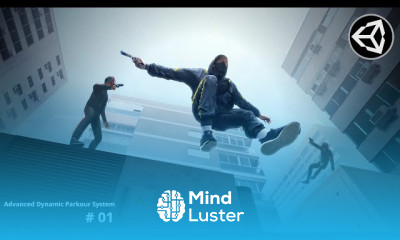
Climbing System in Unity 3d game Course

 (121 reviews)
-
 45 Lessons
-
 8 Students
- Certificate of completion


Climbing System in Unity 3d course, in this course we delve into the mechanics of creating immersive climbing experiences. The Climbing System in Unity 3D allows players to interact with vertical surfaces, adding depth and realism to your game environments. you'll learn how to design and implement a robust climbing system from scratch. Starting with the fundamentals, we'll cover concepts such as raycasting, collision detection, and player movement to lay the groundwork for our climbing mechanics. You'll discover how to detect climbable surfaces, determine the player's position and orientation, and seamlessly transition between climbing and regular movement.
 To Register in Course you have to watch at least 30 Second of any lesson
What You'll Learn
-
 Implement climbing mechanics in Unity 3D using raycasting, collision detection, and player movement techniques
-
Design realistic climbable surfaces and detect player interactions with vertical environments
-
Create smooth transitions between climbing and standard movement for immersive gameplay experiences
-
Develop responsive controls for climbing, including grip, ascent, and descent actions
-
Optimize climbing system performance for smooth gameplay in Unity 3D projects
-
Implement camera adjustments and player orientation during climbing sequences
-
Integrate climbing mechanics with existing character controllers and animations
-
Troubleshoot common issues in climbing system development and improve stability
Course Content
45 Lessons • 9 h 36 m total

Advanced Dynamic Parkour System AC Unity 3d Game Development Tutorial 01 Vector Parkour Run
Dynamic Parkour System AC Unity 3d Game Development Tutorial 02 Vector Parkour Run
Import Assets in Unity Advanced Parkour System AC Unity 3d Game Development Tutorial 03
Import Asset into Unity Advanced Dynamic Parkour System AC Unity 3d Game Development Tutorial 04
Import Character in Unity Cameras Unity Dynamic Parkour System 3d Game Development Tutorial 05
CineMachine Third Person Camera Advanced Parkour System AC Unity 3d Game Development Tutorial 06
Unity Player Movement Third Person Controller Parkour System 3d Game Development Tutorial 07
Rotate Player with Inputs Advanced Dynamic Parkour System AC Unity 3d Game Development Tutorial 08
Move Player in Camera Direction Dynamic Parkour System AC Unity 3d Game Development Tutorial 09
Player Rotation in Unity Advanced Dynamic Parkour System AC Unity 3d Game Development Tutorial 10
Import Mixamo Character Animations in Unity Dynamic Parkour System 3d Game Development Tutorial 11
Add Animation to Character Unity Advanced Parkour System AC Unity 3d Game Development Tutorial 12
Unity Collision Unity Gravity Dynamic Parkour System Unity 3d Game Development Tutorial 13
Check player is on surface Advanced Parkour System AC Unity 3d Game Development Tutorial 14
Unity Falling Speed Advanced Dynamic Parkour System AC Unity 3d Game Development Tutorial 15
Environment Checker Script Parkour System AC Unity 3d Game Development Tutorial 16
Environment Checker Dynamic Parkour System AC Unity 3d Game Development Tutorial 17
Detect Obstacle Store Obstacle data Parkour System AC Unity 3d Game Development Tutorial 18
Measure Objects Height Parkour System AC Unity 3d Game Development Tutorial 19
Download Animations for Parkour Actions Parkour System AC Unity 3d Game Development Tutorial 20
Create Parkour Actions Parkour System Unity 3d Game Development Tutorial 21
Performing Parkour Actions Parkour System Unity 3d Game Development Tutorial 22
Parkour Jumping issue fixed Parkour System Unity 3d Game Development Tutorial 23
Rotate player towards obstacle before performing parkour Parkour System Unity 3d Game Tutorial 24
Target Matching Parkour System AC Unity 3d Game Development Tutorial 25
Add Climbing Up Parkour Action Parkour System Unity 3d Game Development Tutorial 26
Add Vault Jump Parkour System Unity 3d Game Development Tutorial 27
Fixing Vault Action Advanced Parkour System AC Unity 3d Game Development Tutorial 28
Add new vault jump Parkour System AC Unity 3d Game Development Tutorial 29
Check for obstacles ledge Parkour System AC Unity 3d Game Development Tutorial 30
Jump Down Parkour Action Part 1 Parkour System AC Unity 3d Game Development Tutorial 31
Jump Down Parkour Action AC Unity Ultimate Movement Guide Parkour Tutorial for Beginners
Stop player to walk on Ledge Unity Climbing System Unity Climb Ledge Parkour Tutorial
Jump Down Parkour Action AC Unity Ultimate Movement Guide Parkour Tutorial
Unity Doodle Jump Tutorial Wall Jump Helix Jump Rocket Jump Parkour System Tutorial
Unity Climbing System Tutorial AC Unity Ultimate Movement Guide Parkour Tutorial for Beginners
Identify Climb Points Unity Climbing System Tutorial Parkour AC Unity Ultimate Movement Guide
Perform Climbing Up Action Unity Climbing System Tutorial Parkour AC Unity Ultimate Movement
Create Climbing Web Unity Climbing System Tutorial Advanced Parkour System
Perform Climb Up Action Unity Climbing System Tutorial Advanced Parkour System Unity 3D Game

How to Get The Certificate
-
You must have an
Account
on the platform.
-
Complete all lessons.
-
Watch at least 50% of Lesson Duration.
-
Get your Certificate free 🎉 !
4.2
(121 reviews)
Overall rating

Reviews
Be the First One Review This Course
Related Courses
View All


















Climbing System in Unity 3d game Course Description
Climbing System in Unity 3d course, in this course we delve into the mechanics of creating immersive climbing experiences. The Climbing System in Unity 3D allows players to interact with vertical surfaces, adding depth and realism to your game environments. you'll learn how to design and implement a robust climbing system from scratch. Starting with the fundamentals, we'll cover concepts such as raycasting, collision detection, and player movement to lay the groundwork for our climbing mechanics. You'll discover how to detect climbable surfaces, determine the player's position and orientation, and seamlessly transition between climbing and regular movement.
Focus on Learning, Not Ads
Experience the full power of Mindluster with Premium.
No distractions, just pure education.
Cancel your subscription anytime
