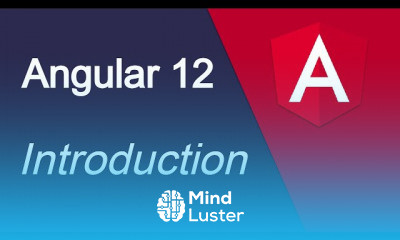

 63 Lessons
 3 Students


Angular is written in TypeScript. It's the recommended language for creating apps with Angular. There are lots of reasons to use TypeScript instead of JavaScript, but at the top of the list are reduced bugs and an increased ability to confidently refactor your code.
 To Register in Course you have to watch at least 30 Second of any lesson
What You'll Learn
-
 Master how to install and set up Angular development environment for efficient app creation
-
Configure Angular CLI and project structure for scalable web applications using Angular best practices
-
Implement TypeScript in Angular projects to enhance code quality, reduce bugs, and improve maintainability
-
Navigate Angular project setup, including dependencies, modules, and environment configurations for seamless development
-
Utilize Angular CLI commands to generate components, services, and modules for rapid development
-
Troubleshoot common setup issues in Angular installation to ensure smooth project initialization
-
Apply version control best practices during Angular setup to facilitate collaborative development
-
Optimize Angular environment setup for performance, security, and future scalability in web applications
Course Content
63 Lessons • 8 h 46 m total

Angular 12 tutorial for beginners 1 Introduction
Angular 12 tutorial for beginners 2 Setup and install
Angular 12 tutorial 3 Files and Folder Structure
Angular 12 tutorial 4 Hello World | Make first change
Angular 12 tutorial 5 what is Interpolation
Angular 12 tutorial 6 Angular CLI important Commands
Angular 12 tutorial 7 Component
Angular 12 tutorial 8 Component with Inline Style Template
Angular 12 tutorial 9 what is module
Angular 12 tutorial 10 make and call function on button click
Angular 12 tutorial 10 Events | blue | keyup | mouseover etc
Angular 12 tutorial 11 Get Input field Value
Angular 12 tutorial 12 Counter example
Angular 12 tutorial 13 Basic style
Angular 12 tutorial 14 Property Binding Example
Angular 12 tutorial 15 If else condition
Angular 12 tutorial 16 Multiple condition or else if
Angular 12 tutorial 17 Switch case
Angular 12 tutorial 18 For Loop | ngFor
Angular 12 tutorial 19 Nested Loop
Angular 12 tutorial 20 Style Binding | Dynamic Style
Angular 12 tutorial 21 Header
Angular 12 tutorial 22 Basic Form
Angular 12 tutorial in Hindi 22 Toggle Element on button | hide and show tag
Angular 12 tutorial 23 how to use Bootstrap with angular
Angular 12 tutorial 24 Material UI
Angular 12 tutorial 25 Todo list in angular
Angular 12 tutorial 26 Pass Data child to component
Angular 12 tutorial 27 Reusable Component
Angular 12 tutorial 28 Send data child to parent component
Angular 12 tutorial 29 Two way binding
Angular 12 tutorial 30 Template Reference Variable
Angular 12 tutorial 31 Basic typescript for angular
Angular 12 tutorial 32 Basic of Pipes in angular
Angular 12 tutorial 33 Advance Pipes
Angular 12 tutorial 34 Make custom pipes
Angular 12 tutorial 34 Form introduction
Angular 12 tutorial 35 Template driven form
Angular 12 tutorial 36 Template driven form Validations
Angular 12 tutorial 37 Reactive Form in Angular

How to Get The Certificate
-
You must have an
Account
on the platform.
-
Complete all lessons.
-
Watch at least 50% of Lesson Duration.
-
Get your Certificate free 🎉 !
4.0
 (29 reviews)
Overall rating

Reviews
Be the First One Review This Course
Related Courses
View All










Angular Setup and install Course Description
Angular is written in TypeScript. It's the recommended language for creating apps with Angular. There are lots of reasons to use TypeScript instead of JavaScript, but at the top of the list are reduced bugs and an increased ability to confidently refactor your code.
Focus on Learning, Not Ads
Experience the full power of Mindluster with Premium.
No distractions, just pure education.
Cancel your subscription anytime
