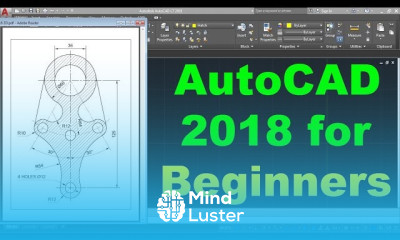
AutoCAD Isometric dimensions for beginners Course

 (156 reviews)
-
 19 Lessons
-
 7 Students
- Certificate of completion


AutoCAD Isometric dimensions course, in this course focusing on mastering dimensioning techniques for isometric drawings using AutoCAD software. Tailored for both beginners and experienced users, this program provides a deep dive into the intricacies of dimensioning in isometric views. Through hands-on tutorials and guided instruction, participants will learn to accurately annotate and dimension objects in isometric perspective, ensuring clarity and precision in their drawings. Topics covered include setting up isometric grids, understanding isometric projection principles, applying linear, radial, and angular dimensions, and overcoming common challenges in isometric dimensioning. By the end of the course, students will possess the skills and confidence to produce professional-grade isometric drawings with comprehensive and accurate dimensioning, ready for presentation or documentation. Whether you're an architect, engineer, or designer seeking to enhance your isometric drawing proficiency, "AutoCAD Isometric Dimensions" equips you with the knowledge and tools to elevate your designs to the next level of detail and clarity. Join us as we embark on a journey to unlock the power of precise dimensioning in AutoCAD's isometric environment.
 To Register in Course you have to watch at least 30 Second of any lesson
What You'll Learn
-
 Master isometric grid setup and projection principles for accurate AutoCAD drawings using dimensioning tools
-
Apply linear, radial, and angular dimensions effectively in isometric AutoCAD views for precise annotations
-
Utilize AutoCAD features to overcome common challenges in isometric dimensioning and improve drawing clarity
-
Create professional-grade isometric drawings with comprehensive, accurate, and well-annotated dimensions
-
Enhance technical communication skills by producing clear, detailed, and presentation-ready isometric documentation
-
Implement best practices for dimensioning in AutoCAD to ensure consistency and accuracy in engineering and architectural drawings
-
Troubleshoot and resolve common issues in isometric dimensioning to streamline the drafting process
-
Develop confidence in producing detailed, precise, and professional isometric drawings for various design disciplines
Course Content
19 Lessons • 5 h 22 m total

AutoCAD 2018 Tutorial for Beginners 1
AutoCAD 2018 Tutorial for Beginners 2
AutoCAD Layout Tutorial for Beginners
AutoCAD Drawing in Feet and Inches
AutoCAD 2018 Isometric Drawing Tutorial
AutoCAD Isometric Dimensions
AutoCAD 2018 3D Tutorial for Beginners
AutoCAD 2018 3D Dimensioning Tutorial
AutoCAD Tutorial for Beginners 1
AutoCAD Drawing Tutorial for Beginners 1
AutoCAD Tutorial for Beginners 2
AutoCAD Drawing Tutorial for Beginners 2
AutoCAD Tutorial for Beginners 3
AutoCAD Drawing Tutorial for Beginners 3
AutoCAD Tutorial for Beginners 4
AutoCAD Drawing Tutorial for Beginners 4
AutoCAD Text Settings AutoCAD Text Style AutoCAD Mtext Editor Single Line Text Font Size
AutoCAD Isometric Drawing Practice Part 1 of 2
AutoCAD Isometric Drawing Practice Part 2 of 2
How to Get The Certificate
-
You must have an
Account
on the platform.
-
Complete all lessons.
-
Watch at least 50% of Lesson Duration.
-
Get your Certificate free 🎉 !
4.1
(156 reviews)
Overall rating

Reviews
Be the First One Review This Course
Related Courses
View All











AutoCAD Isometric dimensions for beginners Course Description
AutoCAD Isometric dimensions course, in this course focusing on mastering dimensioning techniques for isometric drawings using AutoCAD software. Tailored for both beginners and experienced users, this program provides a deep dive into the intricacies of dimensioning in isometric views. Through hands-on tutorials and guided instruction, participants will learn to accurately annotate and dimension objects in isometric perspective, ensuring clarity and precision in their drawings. Topics covered include setting up isometric grids, understanding isometric projection principles, applying linear, radial, and angular dimensions, and overcoming common challenges in isometric dimensioning. By the end of the course, students will possess the skills and confidence to produce professional-grade isometric drawings with comprehensive and accurate dimensioning, ready for presentation or documentation. Whether you're an architect, engineer, or designer seeking to enhance your isometric drawing proficiency, "AutoCAD Isometric Dimensions" equips you with the knowledge and tools to elevate your designs to the next level of detail and clarity. Join us as we embark on a journey to unlock the power of precise dimensioning in AutoCAD's isometric environment.
Focus on Learning, Not Ads
Experience the full power of Mindluster with Premium.
No distractions, just pure education.
Cancel your subscription anytime
