

Ali Raza Mahar
it was excellent
 (193 reviews)
 38 Lessons
 96 Students
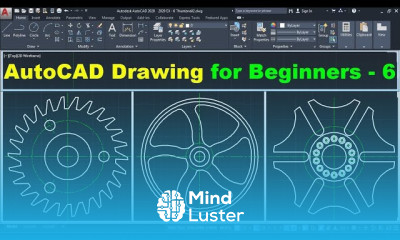
AutoCAD single line diagram drawing course, in this course focusing on mastering the creation of single line diagrams using AutoCAD software. This program offers a structured approach to understanding the principles and techniques involved in designing electrical, mechanical, or piping systems with single line diagrams. Through practical exercises and guided instruction, participants will learn to create clear and concise representations of complex systems using simplified symbols and annotations. Topics covered include setting up drawing templates, creating and editing single line components, applying annotation and dimensioning techniques, and organizing drawings efficiently. By the end of the course, students will have acquired the skills and confidence to produce professional-quality single line diagrams ready for presentation, documentation, or analysis. Whether you're an electrical engineer, mechanical designer, or CAD enthusiast, "AutoCAD Single Line Diagram Drawing" provides the essential knowledge and tools to effectively communicate system designs with clarity and precision. Join us as we explore the art and science of single line diagram drawing using the power of AutoCAD.
 To Register in Course you have to watch at least 30 Second of any lesson
 Create accurate electrical, mechanical, or piping single line diagrams using AutoCAD tools and templates
Apply industry-standard symbols and annotations for clear system representation in AutoCAD drawings
Edit and modify single line components efficiently to reflect design changes and system updates
Organize and layer AutoCAD drawings for professional presentation and easy navigation
Utilize dimensioning and annotation techniques to enhance diagram clarity and communication
Set up AutoCAD drawing templates tailored for single line diagram projects
Implement best practices for drawing organization, including blocks, layers, and naming conventions
Produce professional-quality single line diagrams suitable for documentation and system analysis
Troubleshoot common AutoCAD issues related to single line diagram creation and editing
Integrate AutoCAD features to improve accuracy and efficiency in diagram drafting
Apply fundamental principles of electrical, mechanical, or piping system design within AutoCAD
Demonstrate confidence in creating, editing, and presenting single line diagrams for various engineering applications
38 Lessons • 11 h 36 m total
 You must have an
Account
on the platform.
Complete all lessons.
Watch at least 50% of Lesson Duration.
Get your Certificate free 🎉 !
4.2
(193 reviews)
Overall rating

Be the First One Review This Course
it was excellent

AutoCAD single line diagram drawing course, in this course focusing on mastering the creation of single line diagrams using AutoCAD software. This program offers a structured approach to understanding the principles and techniques involved in designing electrical, mechanical, or piping systems with single line diagrams. Through practical exercises and guided instruction, participants will learn to create clear and concise representations of complex systems using simplified symbols and annotations. Topics covered include setting up drawing templates, creating and editing single line components, applying annotation and dimensioning techniques, and organizing drawings efficiently. By the end of the course, students will have acquired the skills and confidence to produce professional-quality single line diagrams ready for presentation, documentation, or analysis. Whether you're an electrical engineer, mechanical designer, or CAD enthusiast, "AutoCAD Single Line Diagram Drawing" provides the essential knowledge and tools to effectively communicate system designs with clarity and precision. Join us as we explore the art and science of single line diagram drawing using the power of AutoCAD.
Experience the full power of Mindluster with Premium.
No distractions, just pure education.
Cancel your subscription anytime