SolidWorks Lofted bend techniques Course

4.2 (5 reviews)
  • 48 Lessons
  • 185 Students
  • Certificate of completion

SolidWorks Lofted bend techniques course, in this course we explore advanced methods for utilizing the Lofted Bend feature in SolidWorks. Throughout this course, you'll dive deep into the intricacies of creating complex sheet metal components with smooth, curved surfaces using Lofted Bend. From mastering the fundamentals of lofted bending to exploring advanced techniques for optimizing bend transitions and controlling material deformation, you'll gain the skills needed to tackle challenging design tasks with confidence. Through hands-on tutorials and practical exercises, you'll learn how to leverage SolidWorks' powerful tools to streamline your workflow, enhance design precision, and achieve optimal results. Whether you're a seasoned SolidWorks user or new to lofted bending, this course provides valuable insights and techniques to help you unlock the full potential of SolidWorks Lofted Bend. Join us as we embark on a journey to master SolidWorks Lofted Bend Techniques and elevate your sheet metal design capabilities to new heights.

To Register in Course you have to watch at least 30 Second of any lesson

What You'll Learn

  • Master lofted bend techniques for complex sheet metal components in SolidWorks
  • Apply advanced methods to optimize bend transitions and control material deformation in SolidWorks
  • Create smooth, curved surfaces using Lofted Bend feature for precise sheet metal designs
  • Utilize SolidWorks tools to streamline workflow and improve design efficiency in sheet metal projects
  • Troubleshoot common issues related to lofted bends and enhance design accuracy in SolidWorks
  • Implement best practices for designing challenging sheet metal parts with lofted bends in SolidWorks
  • Enhance control over bend radii and transitions for high-quality sheet metal fabrication in SolidWorks
  • Develop skills to analyze and refine lofted bend features for complex geometries in SolidWorks

Course Content

48 Lessons • 9 h 13 m total

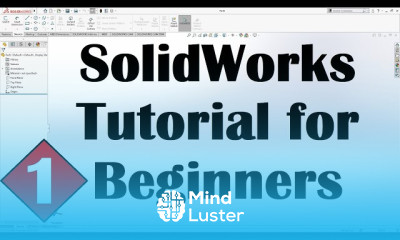
SolidWorks Tutorial for Beginners 1

20:50

SolidWorks Sketch Practice Tutorial for Beginners

18:54

SolidWorks Tutorial for Beginners 2A

16:00

SolidWorks Tutorial for Beginners 2B

14:14

SolidWorks Basic Practice Drawing Exercise for Beginners 1

9:14

SolidWorks Basic Practice Drawing Exercise for Beginners 2

8:52

SolidWorks Tutorial for Beginners 2 SolidWorks Sketch Tutorial

17:25

SolidWorks Exercises for Beginners 2 SolidWorks Sketch Basics Practice Tutorial

9:56

SolidWorks Tutorial for Beginners 3 SolidWorks Basics Tutorial

16:59

SolidWorks Exercises for Beginners 3 SolidWorks Sketch Practice Tutorial

15:00

SolidWorks Basics Tutorial for Beginners 5 Fillet Chamfer Plane Mirror Mass Properties

18:55

SolidWorks Practice Exercises for Beginners 5 SolidWorks Part Modeling Tutorial

10:51

SolidWorks Tutorials for Beginners 6 SolidWorks Rib Feature and Draft Command Tutorial

14:41

SolidWorks Practice Exercises for Beginners 6 SolidWorks Basics Tutorial Rib Tool

10:06

SolidWorks Pattern Feature Tutorial Complete Linear Circular Pattern Curve Driven Pattern

12:11

SolidWorks Training Practice Exercises for Beginners 7 Using Linear and Circular Patter

18:27

SolidWorks Pattern Feature Tutorial Complete Sketch Driven and Table Driven Pattern Fill Pattern

9:49

SolidWorks Revolved Boss Base SolidWorks Revolved Cut SolidWorks Tutorials for Beginners 9

3:51

SolidWorks Swept Boss Base Swept Cut Tutorial Guide Curves Multiple Paths Twist Along Path

8:40

SolidWorks Training Practice Exercises for Beginners 9 SolidWorks Swept Boss Base Tutorial

6:53

SolidWorks Lofted Boss Base SolidWorks Loft Cut How to use Loft in SolidWorks Guide Curves

9:20

SolidWorks Advanced Exercises for Beginners SolidWorks Loft Practice Tutorial Training Course

7:37

SolidWorks Boundary Boss Base Tutorial and Difference between Loft and Boundary in SolidWorks

11:36

SolidWorks 3D Sketch Angle Dimension

4:28

SolidWorks Advanced Tutorial

13:53

SolidWorks Assembly Tutorial for Beginners 1 Basics Mates Mirror Constraints Exploded View

12:29

SolidWorks Assembly Exercises for Beginners 1 Solidworks Assembly Examples

14:58

SolidWorks Advanced Mates Tutorial Symmetric Linear Coupler Width Angle Distance Path Mate

9:58

SolidWorks Assembly Practice Exercises for Beginners 2 Solidworks Assembly Tutorial

13:06

SolidWorks Assembly New Part Linear Circular Component Pattern Hole Bill of Material Balloons

10:59

SolidWorks Exploded View Tutorial Complete with Animation Video and Line Sketch

7:40

SolidWorks Drawing Drafting Tutorial for Beginners 1 SolidWorks Drawing Basics Drawing Views

13:13

SolidWorks Drawing Drafting Tutorial for Beginners 2 Drawing Sheet Format Annotations Table

13:47

SolidWorks Exploded View Drawing Tutorial SolidWorks Bill of Materials Tutorial Balloon Drawing

7:38

SolidWorks Sheet Metal Tutorial for Beginner 1 Base Flange Tab Edge Flange Miter Flange Hem

14:40

SolidWorks Sheet Metal Practice Exercises for Beginners 1

12:39

SolidWorks Sheet Metal Tutorial for Beginner 2 Closed Welded Break Corner Trim Forming Tool

11:23

SolidWorks Solid to Sheet Metal Tutorial Convert to Sheet Metal Convert Shell to Sheet Metal

4:03

SolidWorks Sheet Metal Practice Exercises for Beginners 2

11:18

SolidWorks Lofted Bend Tutorial SolidWorks Sheet Metal Cone Tutorial Sheet Metal Transitions

5:24

How to Get The Certificate

  • You must have an Account on the platform.
  • Complete all lessons.
  • Watch at least 50% of Lesson Duration.
  • Get your Certificate free 🎉 !

Certificate Example

Mind Luster Certificate Template

4.2 (5 reviews)

Overall rating

  • 5.0 40%
  • 4.0 40%
  • 3.0 20%
  • 2.0 0%
  • 1.0 0%

Reviews

Sachin Joshi

· 2mos ago

great foundational course

ANASS RZIK

· 4mos ago

Good

Prithwijit Bose

· 1yr ago

Very insightful

Rojin

· 1yr ago

its fantastic and super

mustapha bendaif

· 1yr ago

bien

050 Chetan

· 1yr ago

More content would be better

ANSARULLAH MULLAN

· 1yr ago

Nice

Alimussadad

· 2yrs ago

This course is very useful, but it would be better if a competency test is given before obtaining a certificate.

David Adegboyega

· 2yrs ago

Excellent course

SolidWorks Lofted bend techniques Course Description

SolidWorks Lofted bend techniques course, in this course we explore advanced methods for utilizing the Lofted Bend feature in SolidWorks. Throughout this course, you'll dive deep into the intricacies of creating complex sheet metal components with smooth, curved surfaces using Lofted Bend. From mastering the fundamentals of lofted bending to exploring advanced techniques for optimizing bend transitions and controlling material deformation, you'll gain the skills needed to tackle challenging design tasks with confidence. Through hands-on tutorials and practical exercises, you'll learn how to leverage SolidWorks' powerful tools to streamline your workflow, enhance design precision, and achieve optimal results. Whether you're a seasoned SolidWorks user or new to lofted bending, this course provides valuable insights and techniques to help you unlock the full potential of SolidWorks Lofted Bend. Join us as we embark on a journey to master SolidWorks Lofted Bend Techniques and elevate your sheet metal design capabilities to new heights.

Focus on Learning, Not Ads

Experience the full power of Mindluster with Premium.
No distractions, just pure education.

Get Mindluster Premium

Cancel your subscription anytime

Course Intro