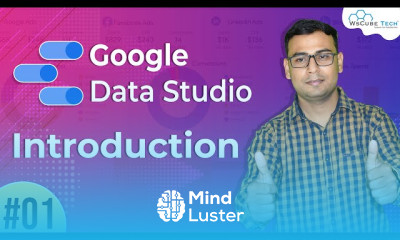
Google data studio essentials for beginners Course

 (31 reviews)
-
 35 Lessons
-
 13 Students
- Certificate of completion


Google data studio essentials course, in this course Designed for beginners and intermediate users alike, this course offers a deep dive into the essential features and functionalities of Google Data Studio. From creating dynamic reports to connecting various data sources, designing captivating dashboards, and effectively sharing insights, you'll master the core skills needed to harness the power of data visualization. Through hands-on tutorials and real-world examples, you'll learn to transform raw data into actionable insights, empowering you to make informed decisions with confidence. Whether you're a marketer, analyst, or business professional, this course equips you with the tools and knowledge to leverage Google Data Studio effectively in your role. Join us and take your data visualization skills to the next level
 To Register in Course you have to watch at least 30 Second of any lesson
What You'll Learn
-
 Create dynamic, interactive reports using Google Data Studio for effective data visualization and storytelling
-
Connect and integrate multiple data sources seamlessly within Google Data Studio dashboards
-
Design visually appealing and user-friendly dashboards to communicate complex data insights clearly
-
Apply best practices for data formatting, filtering, and customization in Google Data Studio reports
-
Share and collaborate on Google Data Studio reports securely with team members and stakeholders
-
Utilize advanced features like calculated fields and blended data to enhance report functionality
-
Optimize report performance and load times for better user experience and accessibility
-
Transform raw data into actionable insights to support decision-making processes
-
Implement data security and privacy measures when sharing Google Data Studio dashboards
-
Troubleshoot common issues and troubleshoot data discrepancies in Google Data Studio reports
Course Content
35 Lessons • 4 h 24 m total

Introduction to Google Data Studio Google Data Studio Part 1 WsCube Tech
Complete Dashboard Overview Google Data Studio Part 2 WsCube Tech
Connecting Google Search Console Creating Basic Report Google Data Studio Part 3 WsCube Tech
Connecting Google Analytics Creating Basic Report Google Data Studio Part 4 WsCube Tech
Running Calculations in Google Data Studio Google Data Studio Part 5 WsCube Tech
Comparing Calculations in Google Data Studio Google Data Studio Part 6 WsCube Tech
What are Predefined Filters Google Data Studio Part 7 WsCube Tech
Creating Fields Doing Concatenation Google Data Studio Part 8 WsCube Tech
Connecting Google Sheets Importing Data Google Data Studio Part 9 WsCube Tech
Visualization Elements in Google Data Studio Google Data Studio Part 10 WsCube Tech
Drill Down Features in Google Data Studio Google Data Studio Part 11 WsCube Tech
Pivot Table Features in Google Data Studio Google Data Studio Part 12 WsCube Tech
Case Function in Google Data Studio Google Data Studio Part 13 WsCube Tech
Create Bullet Chart in Google Data Studio Google Data Studio Part 14 WsCube Tech
Google Data Studio Data Blending Tutorial in One Video Google Data Studio Part 15 WsCube Tech
How to Create Time Series chart in Google Data Studio Google Data Studio Part 16 WsCube Tech
Conversion Rate of events in Google Data Studio Google Data Studio Part 17 WsCube Tech
How to do condition Formatting in Google Data Studio Google Data Studio Part 18 WsCube Tech
CASE Function example in Google Data Studio Google Data Studio Part 19 WsCube Tech
Use of Donut Chart in Google Data Studio Google Data Studio Part 20 WsCube Tech
Sharing of Reports in Google Data Studio Google Data Studio Part 21 WsCube Tech
How to set Data Control Comparison Google Data Studio Part 22 WsCube Tech
Creating Google Search Report Chapter1 Google Data Studio Part 23 WsCube Tech
Creating Google Search Console Report Chapter 2 Google Data Studio Part 24 WsCube Tech
How to apply Filters in Reports Google Data Studio Part 25 WsCube Tech
How to Create Basic Finance Report Google Data Studio Part 26 WsCube Tech
Funnel Visualization using TrueMetric Google Data Studio Part 27 WsCube Tech
Basic Funnel Visualization in Google Data Studio Google Data Studio Part 28 WsCube Tech
Url Embedding feature in Google Data Studio Google Data Studio Part 29 WsCube Tech
Limitations of Google Data Studio Google Data Studio Part 30 WsCube Tech
Showing Top x option in Google Data Studio Google Data Studio Part 31 WsCube Tech
How to Add a Reference Line in Google Data Studio Part 32 WsCube Tech
What is Metric Slider Feature in Google Data Studio Part 33 WsCube Tech
How to Insert emojis in Google Data Studio Reports Google Data Studio Part 34 WsCube Tech
How to identify Branded Queries in Google Data Studio Google Data Studio Part 35 WsCube Tech
How to Get The Certificate
-
You must have an
Account
on the platform.
-
Complete all lessons.
-
Watch at least 50% of Lesson Duration.
-
Get your Certificate free 🎉 !
4.2
(31 reviews)
Overall rating

Reviews
Be the First One Review This Course
Related Courses
View All














Google data studio essentials for beginners Course Description
Google data studio essentials course, in this course Designed for beginners and intermediate users alike, this course offers a deep dive into the essential features and functionalities of Google Data Studio. From creating dynamic reports to connecting various data sources, designing captivating dashboards, and effectively sharing insights, you'll master the core skills needed to harness the power of data visualization. Through hands-on tutorials and real-world examples, you'll learn to transform raw data into actionable insights, empowering you to make informed decisions with confidence. Whether you're a marketer, analyst, or business professional, this course equips you with the tools and knowledge to leverage Google Data Studio effectively in your role. Join us and take your data visualization skills to the next level
Focus on Learning, Not Ads
Experience the full power of Mindluster with Premium.
No distractions, just pure education.
Cancel your subscription anytime
