
 34 Lessons
 119 Students


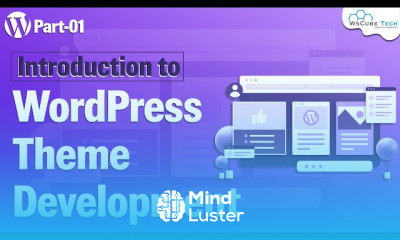
WordPress theme development fundamentals course, in this course participants will embark on a comprehensive exploration of the essential concepts and techniques necessary to build custom WordPress themes from scratch. Beginning with an introduction to the WordPress theme structure and file hierarchy, learners will gain a solid understanding of the core components required to create a functional and visually appealing theme. Through hands-on exercises and practical examples, participants will delve into HTML, CSS, and PHP, learning how to structure template files, style elements, and implement dynamic functionality within a WordPress theme. Additionally, the course will cover key topics such as theme customization, template tags, and best practices for optimizing theme performance and security. By the end of the course, participants will have the foundational knowledge and skills to embark on their journey as WordPress theme developers, equipped to create professional-grade themes that meet the unique needs of their projects or clients. Whether you're a beginner looking to dive into WordPress theme development or an experienced developer seeking to solidify your understanding of the fundamentals, this course offers valuable insights and practical guidance to help you succeed in the dynamic world of WordPress development.
 To Register in Course you have to watch at least 30 Second of any lesson
What You'll Learn
-
 Master core WordPress theme structure, hierarchy, and file organization for custom theme development
-
Create responsive, visually appealing WordPress themes using HTML, CSS, and PHP techniques
-
Implement dynamic functionality with template tags, hooks, and custom PHP code in WordPress themes
-
Customize themes effectively through CSS styling, template modifications, and theme options
-
Optimize WordPress themes for performance, security, and user experience best practices
-
Develop reusable, maintainable, and scalable WordPress themes for diverse client needs
-
Troubleshoot common issues in theme development, including compatibility and security vulnerabilities
-
Apply best practices for theme customization, including child themes and plugin integration
-
Utilize debugging tools and techniques to ensure theme quality and functionality
-
Build professional-grade WordPress themes suitable for portfolios, projects, or client deployment
Course Content
34 Lessons • 6 h 7 m total

Introduction to WordPress Theme Development in Hindi 1 WsCube Tech
Learn to Setup Custom Theme in WordPress Development Basic Information
How to Display an Html Page in WordPress Custom Theme WordPress Theme Development
How to Custom Header Footer Codes in Wordpress Theme WordPress Theme Development
How to Add Custom Navigation Menu in WordPress Themes WordPress Theme Development
Creating Call Default Page Template In WordPress WordPress Theme Development
Display of Page Content in Wordpress Custom Theme Tutorial for Wordpress Theme Development
How to Add Featured Image in WordPress Custom Theme WordPress Theme Development
Display Thumbnail Image on WordPress Theme WordPress Theme Development
How to Insert Logo on a Header in WordPress WordPress Theme Development
What is Custom Page Template in WordPress Theme Tutorial for WordPress Theme Development
How to Link Your Pages to Your Navigation Menu in WordPress WordPress Theme Development
How to Display WordPress Posts in a Grid Layout WordPress Theme Development
Add Pagination Option Using Navi Plugin Pagination Setup in WordPress
What is Single Post Displaying Content WordPress Theme Development
Learn to Add Comment form in Single Page in WordPress Theme WordPress Theme Development
Display List of Comments in Single Post In WordPress WordPress Theme Development
How to Display Posts From Specific Category on a WordPress Page
How to Add or Edit Dynamic Sidebars in WordPress WordPress Theme Tutorial
What is Sidebar File in WordPress and How to Add Using Get Sidebar
What is a Dynamic Page Title in WordPress and How to Create It WordPress Theme Development
Creating a Custom Background Add theme support custom background WP Theme Development
Learn to Create an Error 404 Page in WordPress Theme WordPress Theme Development
What are Functions in WordPress Get Category Function in WordPress
What is Excerpt in WordPress and How to Add in WordPress WordPress Theme Development
What is Post Type and How to Create Custom Post Type in WordPress
What is Wp Query in WordPress for Custom Post Type and How to Use
What is Taxonomy and How to Create Custom Taxonomy Category in WordPress
How to Use Custom Taxonomy in get terms Function WordPress Theme Development
What is Custom Taxonomy Custom Taxonomy Template in WordPress
Display Posts by Category on Home Page WordPress Theme Development
How to Create Field and Repeater Option in WordPress WordPress Theme Development
How to Searching and Pagination using Wp query Search Page in WordPress
Learn to Insert and Taxonomy Form Website in WordPress
How to Get The Certificate
-
You must have an
Account
on the platform.
-
Complete all lessons.
-
Watch at least 50% of Lesson Duration.
-
Get your Certificate free 🎉 !
4.7
 (81 reviews)
Overall rating

Reviews
Be the First One Review This Course
Related Courses
View All












Introduction to WordPress Course Description
WordPress theme development fundamentals course, in this course participants will embark on a comprehensive exploration of the essential concepts and techniques necessary to build custom WordPress themes from scratch. Beginning with an introduction to the WordPress theme structure and file hierarchy, learners will gain a solid understanding of the core components required to create a functional and visually appealing theme. Through hands-on exercises and practical examples, participants will delve into HTML, CSS, and PHP, learning how to structure template files, style elements, and implement dynamic functionality within a WordPress theme. Additionally, the course will cover key topics such as theme customization, template tags, and best practices for optimizing theme performance and security. By the end of the course, participants will have the foundational knowledge and skills to embark on their journey as WordPress theme developers, equipped to create professional-grade themes that meet the unique needs of their projects or clients. Whether you're a beginner looking to dive into WordPress theme development or an experienced developer seeking to solidify your understanding of the fundamentals, this course offers valuable insights and practical guidance to help you succeed in the dynamic world of WordPress development.
Focus on Learning, Not Ads
Experience the full power of Mindluster with Premium.
No distractions, just pure education.
Cancel your subscription anytime
