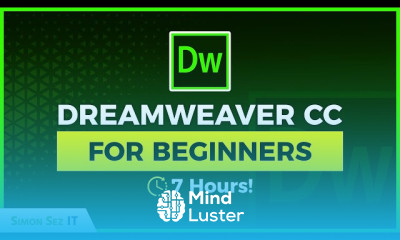
Adobe dreamweaver CC for beginners Course

 (30 reviews)
-
 41 Lessons
-
 18 Students
- Certificate of completion


Adobe dreamweaver CC course, in this course tailored to equip learners with the essential skills and knowledge required to effectively utilize Adobe Dreamweaver CC for web design and development. Throughout this course, participants will embark on a journey to explore the robust features and functionalities offered by Dreamweaver CC, Adobe's industry-leading web development tool. From designing visually stunning web pages to coding responsive layouts and integrating dynamic content, this course covers it all. Participants will learn how to leverage Dreamweaver's intuitive interface and powerful tools to create and manage websites efficiently. Whether you're a novice looking to build your first website or an experienced developer seeking to enhance your skills, this course provides a step-by-step guide to mastering Adobe Dreamweaver CC. Join us as we dive into the world of web design and development with Adobe Dreamweaver CC, unlocking the potential to bring your creative visions to life on the web.
 To Register in Course you have to watch at least 30 Second of any lesson
What You'll Learn
-
 Create responsive websites using Adobe Dreamweaver CC with HTML, CSS, and Bootstrap integration skills
-
Design visually appealing web pages employing Dreamweaver's visual and code editing tools effectively
-
Develop and manage dynamic website content through Dreamweaver CC's interface and features
-
Implement mobile-friendly layouts and optimize websites for various devices and screen sizes
-
Utilize Dreamweaver CC to write clean, efficient HTML, CSS, and JavaScript code for web projects
-
Integrate multimedia elements like images, videos, and animations seamlessly into web pages
-
Apply best practices for web design, accessibility, and user experience using Dreamweaver CC
-
Use Dreamweaver's site management tools to organize, publish, and update websites efficiently
-
Troubleshoot common web development issues and debug code within Dreamweaver CC environment
-
Leverage version control and collaboration features to work effectively on web development projects
-
Create and customize templates and reusable components to streamline web design workflows
-
Enhance web development productivity by mastering Dreamweaver CC shortcuts, panels, and automation tools
Course Content
41 Lessons • 23 h 14 m total

Adobe Dreamweaver CC for Beginners 7 Hour Web Development Course
PHP Tutorial Course for Beginners 3 Hours of PHP Training
Learn Object Oriented Programming in Python 1 Hour OOP Training
Python Programming for Beginners Getting Started with Python
MySQL Database Course for Beginners 3 Hours of MySQL Training
HTML5 Tutorial For Beginners Part 1 Introduction
HTML5 Tutorial For Beginners Part 2 HTML5 Document and Charset Attribute
HTML5 Tutorial For Beginners Part 3 Comparing HTML5 File to HTML4 File Part 1
HTML5 Tutorial For Beginners Part 4 Comparing HTML5 File to HTML4 File Part 2
HTML5 Tutorial For Beginners Part 5 Form Attribute Types and How to Create Widgets
HTML5 Tutorial For Beginners Part 6 SVG Scalable Vector Graphics Tutorial
HTML5 Tutorial For Beginners Part 7 Video and Audio Elements
HTML5 Tutorial For Beginners Part 8 Microdata
Angular Tutorials for Beginners Part 1 What is AngularJS and Creating an Angular App
Angular Tutorials for Beginners Part 2 How Data Binding Works in AngularJS
Angular Tutorials for Beginners Part 3 How to Use AngularJS Controllers Part 1
Angular Tutorials for Beginners Part 4 Using AngularJS Controllers With Multiple Rows of Data
Angular Tutorials for Beginners Part 5 Using AngularJS Controllers With Scope Binding
Angular Tutorials for Beginners Part 6 Using CRUD Operations to Create Update and Delete
Angular Tutorials for Beginners Part 7 How to Use AngularJS to Create Update and Delete Data
Angular Tutorials for Beginners Part 8 How to Use AngularJS in IDE Projects
Angular Tutorials for Beginners Part 9 Using the Angular HTTP Service to Get Data
Angular Tutorials for Beginners Part 10 Creating Angular Dependencies in Applications
Angular Tutorials for Beginners Part 11 Combining AngularJS Binding Validation and Directives
Angular Tutorials for Beginners Part 12 How to Use Custom Directives in Angular
Angular Tutorials for Beginners Part 13 How to Use Custom Directives in AngularJS Part 2
Angular Tutorials for Beginners Part 14 How to Use Custom Directives with Scope Using Angular
JavaScript Tutorials for Beginners Part 1 How to Setup JavaScript
JavaScript Tutorials for Beginners Part 2 JavaScript Primitive Data Types
JavaScript Tutorials for Beginners Part 3 Undefined Null and Boolean Variables
JavaScript Tutorials for Beginners Part 4 How to Use JavaScript Operators
JavaScript Tutorials for Beginners Part 5 How to Use the String Data Type in JavaScript
JavaScript Tutorials for Beginners Part 6 How to Use the JavaScript Number Type
JavaScript Tutorials for Beginners Part 7 How to Use JavaScript Conditional Statements
JavaScript Tutorials for Beginners Part 8 JavaScript Loops Explained
JavaScript Tutorials for Beginners Part 9 How to Code Nested For Loops with JavaScript
JavaScript Tutorials for Beginners Part 10 How to Code Arrays Using JavaScript
JavaScript Tutorials for Beginners Part 11 How to Code Multidimensional Arrays Using JavaScript
JavaScript Tutorials for Beginners Part 12 How to Use Array Methods with JavaScript
JavaScript Tutorials for Beginners Part 13 How to Loop Through JavaScript Arrays

How to Get The Certificate
-
You must have an
Account
on the platform.
-
Complete all lessons.
-
Watch at least 50% of Lesson Duration.
-
Get your Certificate free 🎉 !
4.1
(30 reviews)
Overall rating

Reviews
Be the First One Review This Course
Related Courses
View All







Adobe dreamweaver CC for beginners Course Description
Adobe dreamweaver CC course, in this course tailored to equip learners with the essential skills and knowledge required to effectively utilize Adobe Dreamweaver CC for web design and development. Throughout this course, participants will embark on a journey to explore the robust features and functionalities offered by Dreamweaver CC, Adobe's industry-leading web development tool. From designing visually stunning web pages to coding responsive layouts and integrating dynamic content, this course covers it all. Participants will learn how to leverage Dreamweaver's intuitive interface and powerful tools to create and manage websites efficiently. Whether you're a novice looking to build your first website or an experienced developer seeking to enhance your skills, this course provides a step-by-step guide to mastering Adobe Dreamweaver CC. Join us as we dive into the world of web design and development with Adobe Dreamweaver CC, unlocking the potential to bring your creative visions to life on the web.
Focus on Learning, Not Ads
Experience the full power of Mindluster with Premium.
No distractions, just pure education.
Cancel your subscription anytime
