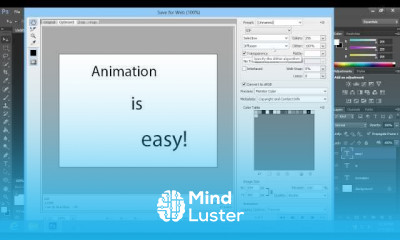
Creating animation in Photoshop CS6 Course

 (145 reviews)
-
 142 Lessons
-
 70 Students
- Certificate of completion


Creating animation in Photoshop course, in this course delve into the world of digital animation. From basic principles to advanced techniques, this course offers a comprehensive guide to crafting captivating animations using Adobe Photoshop. Through hands-on tutorials and practical exercises, you'll explore key concepts such as frame-by-frame animation, timeline manipulation, and incorporating effects and transitions. Whether you're a novice or seasoned designer, this course equips you with the skills and confidence to bring your ideas to life through engaging animations. Join us as we unravel the art of animation in Photoshop and unleash your creativity in motion.
 To Register in Course you have to watch at least 30 Second of any lesson
What You'll Learn
-
 Create frame-by-frame animations using Photoshop CS6 for dynamic visual storytelling and digital art projects
-
Manipulate the Photoshop timeline to develop smooth, professional-quality animations and transitions
-
Apply effects and layer styles to enhance animation depth, realism, and visual appeal in Photoshop CS6
-
Utilize keyframes and motion tweens to produce seamless animations and engaging motion graphics
-
Incorporate sound, text, and graphics effectively to create multimedia animations in Photoshop CS6
-
Optimize animation workflows for efficiency, including layer management and shortcut techniques
-
Export high-quality animated GIFs and videos suitable for web, social media, and digital presentations
-
Troubleshoot common animation issues in Photoshop CS6 to ensure smooth playback and professional results
Course Content
142 Lessons • 4 h 29 m total

How to Create Animation in Photoshop CS6
How to Use Cut and Paste in Photoshop CS6
How to Make Pencil Effect in Photoshop CS6
How to Make Sketch Effect in Photoshop CS6
How to Dye Hair in Photoshop CS6
How to Make Face Thinner using Photoshop CS6
How to Add Sunglasses Reflection in Photoshop CS6
How to Airbrush Skin in Photoshop CS6
How to Use Airbrush in Photoshop CS6
How to Make a Tattoo in Photoshop CS6
How to Make a Wanted Poster in Photoshop CS6
How to Make a Starry Sky in Photoshop CS6
How to Swap Face in Photoshop CS6
How to Make a Rope in Photoshop CS6
How to Fix a Grainy Photo in Photoshop CS6
How to Make Transparent Background in Photoshop CS6
How to Change Background from Transparent to White in Photoshop CS6
How to Blend Images in Photoshop CS6
How to Change Blend Mode in Photoshop CS6
How to Make Background Black and White in Photoshop CS6
How to Make Bottle Label in Photoshop CS6
How to Define Brush in Photoshop CS6
How to Make Ribbon Banner in Photoshop CS6
How to Select and Cut Hair in Photoshop CS6
How to Change Text Color in Photoshop CS6
How to Change the Color Scheme in Photoshop CS6
How to Use Clone Stamp Tool in Photoshop CS6
How to Use Color Replacement Tool in Photoshop CS6
How to Use Selective Color in Photoshop CS6
How to Create a Dotted Line in Photoshop CS6
How to Use Zoom Tool in Photoshop CS6
How to Calibrate Photoshop CS6 with Your Monitor
How to Make Your Car Lower in Photoshop CS6
How to Save Image with a Transparent Background in Photoshop CS6
How to Make Wind Effect in Photoshop CS6
How to Use Wave Filter in Photoshop CS6
How to Make Heat Wave in Photoshop CS6
How to Make Vertical Text in Photoshop CS6
How to Create a Vignette in Photoshop CS6
How to Create Vintage Style Effect in Photoshop CS6

How to Get The Certificate
-
You must have an
Account
on the platform.
-
Complete all lessons.
-
Watch at least 50% of Lesson Duration.
-
Get your Certificate free 🎉 !
4.8
(145 reviews)
Overall rating

Reviews
Be the First One Review This Course
Related Courses
View All


















Creating animation in Photoshop CS6 Course Description
Creating animation in Photoshop course, in this course delve into the world of digital animation. From basic principles to advanced techniques, this course offers a comprehensive guide to crafting captivating animations using Adobe Photoshop. Through hands-on tutorials and practical exercises, you'll explore key concepts such as frame-by-frame animation, timeline manipulation, and incorporating effects and transitions. Whether you're a novice or seasoned designer, this course equips you with the skills and confidence to bring your ideas to life through engaging animations. Join us as we unravel the art of animation in Photoshop and unleash your creativity in motion.
Focus on Learning, Not Ads
Experience the full power of Mindluster with Premium.
No distractions, just pure education.
Cancel your subscription anytime
