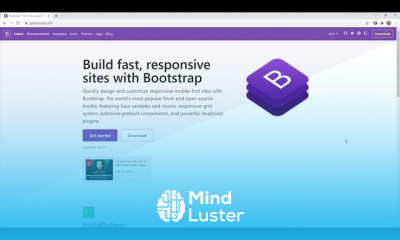
BOOTSTRAP CSS FOR BEGINNERS Course

 (65 reviews)
TUTORIAL
-
 22 Lessons
-
 4 Students
- Certificate of completion


BOOTSTRAP CSS FOR BEGINNERS Course: In this course, beginners will explore the fundamentals of Bootstrap CSS framework. Learn how to build responsive and visually appealing web pages using Bootstrap's pre-designed components, grids, and utilities. Understand the grid system, typography, forms, navigation, and more. Dive into responsive design principles and mobile-first approach. With hands-on exercises and step-by-step guidance, this course empowers you to create professional-looking websites efficiently. Whether you're new to web development or seeking to enhance your CSS skills, this course provides a solid foundation for utilizing the power of Bootstrap in your projects. TUTORIAL
 To Register in Course you have to watch at least 30 Second of any lesson
What You'll Learn
-
 Create responsive web pages using Bootstrap's grid system and utility classes effectively
-
Implement Bootstrap components like navigation bars, forms, and buttons for professional websites
-
Customize Bootstrap themes to match branding and design preferences efficiently
-
Apply mobile-first design principles to ensure optimal user experience across devices
-
Utilize Bootstrap's typography and spacing utilities to enhance website aesthetics and readability
-
Build accessible and user-friendly websites with Bootstrap's built-in accessibility features
-
Integrate Bootstrap with HTML, CSS, and JavaScript for dynamic and interactive web pages
-
Troubleshoot common Bootstrap layout and component issues for seamless website development
-
Optimize website performance by leveraging Bootstrap's optimized CSS and JavaScript components
-
Develop a strong foundation in Bootstrap to support advanced web development projects
Course Content
22 Lessons • 2 h 38 m total

1 What Is Bootstrap BOOTSTRAP
2 Including Bootstrap in the Project BOOTSTRAP
3 Web Design in Bootstrap BOOTSTRAP TUTORIAL
2 Grid System in Bootstrap INTRODUCTION TO BOOTSTRAP FULL COURSE FOR BEGINNERS LEARN IN 1 HOUR
1 Nav Bar in Bootstrap INTRODUCTION TO BOOTSTRAP FULL COURSE FOR BEGINNERS LEARN IN 1 HOUR
3 Header Section in Bootstrap INTRODUCTION TO BOOTSTRAP FULL COURSE FOR BEGINNERS LEARN IN 1 HOUR
5 Our CSS File 2 INTRODUCTION TO BOOTSTRAP FULL COURSE FOR BEGINNERS LEARN IN 1 HOUR
4 Our CSS File 1 INTRODUCTION TO BOOTSTRAP FULL COURSE FOR BEGINNERS LEARN IN 1 HOUR
6 Font Awesome and Features Section in Bootstrap BOOTSTRAP CSS FULL COURSE FOR BEGINNERS FULL STACK
7 Font Awesome and Features Section 2 in Bootstrap BOOTSTRAP CSS FULL COURSE FOR BEGINNERS
1 Bootstrap Modals INTERMEDIATE BOOTSTRAP CSS FULL COURSE FOR BEGINNERS LEARN IN 1 HOUR FULL STACK
2 Bootstrap Modals 2 INTERMEDIATE BOOTSTRAP CSS FULL COURSE FOR BEGINNERS LEARN IN 1 HOUR
3 Bootstrap Cards INTERMEDIATE BOOTSTRAP CSS FULL COURSE FOR BEGINNERS LEARN IN 1 HOUR FULL STACK
4 Bootsrap Cards Part 2 INTERMEDIATE BOOTSTRAP CSS FULL COURSE FOR BEGINNERS LEARN IN 1 HOUR
5 Bootstrap Carousel 1 INTERMEDIATE BOOTSTRAP CSS FULL COURSE FOR BEGINNERS LEARN IN 1 HOUR
6 Bootstrap Carousel 2 INTERMEDIATE BOOTSTRAP CSS FULL COURSE FOR BEGINNERS LEARN IN 1 HOUR
7 CSS Z Index INTERMEDIATE BOOTSTRAP CSS FULL COURSE FOR BEGINNERS LEARN IN 1 HOUR
8 Z Index Bootstrap Our Project INTERMEDIATE BOOTSTRAP CSS FULL COURSE FOR BEGINNERS IN 1 HOUR
9 Bootstrap Image Gallery INTERMEDIATE BOOTSTRAP CSS FULL COURSE FOR BEGINNERS LEARN IN 1 HOUR
10 Bootstrap Forms INTERMEDIATE BOOTSTRAP CSS FULL COURSE FOR BEGINNERS LEARN IN 1 HOUR
11 Bootstrap General Changes INTERMEDIATE BOOTSTRAP CSS FULL COURSE FOR BEGINNERS LEARN IN 1 HOUR
12 Bootstrap General Changes Part 2 INTERMEDIATE BOOTSTRAP CSS FULL COURSE FOR BEGINNERS IN 1 HOUR
How to Get The Certificate
-
You must have an
Account
on the platform.
-
Complete all lessons.
-
Watch at least 50% of Lesson Duration.
-
Get your Certificate free 🎉 !
4.0
(65 reviews)
Overall rating

Reviews
Be the First One Review This Course
Related Courses
View All


















BOOTSTRAP CSS FOR BEGINNERS Course Description
BOOTSTRAP CSS FOR BEGINNERS Course: In this course, beginners will explore the fundamentals of Bootstrap CSS framework. Learn how to build responsive and visually appealing web pages using Bootstrap's pre-designed components, grids, and utilities. Understand the grid system, typography, forms, navigation, and more. Dive into responsive design principles and mobile-first approach. With hands-on exercises and step-by-step guidance, this course empowers you to create professional-looking websites efficiently. Whether you're new to web development or seeking to enhance your CSS skills, this course provides a solid foundation for utilizing the power of Bootstrap in your projects. TUTORIAL
Focus on Learning, Not Ads
Experience the full power of Mindluster with Premium.
No distractions, just pure education.
Cancel your subscription anytime
