T Mobile REVVL 4 4+ 5G Black Screen Solutions Course

 (48 reviews)
-
 18 Lessons
-
 24 Students
- Certificate of completion


T-Mobile REVVL 4/4+/5G Black Screen course, in this course designed to address and resolve black screen issues encountered on these devices. Throughout this course, we'll explore common causes of black screen problems, such as software glitches, hardware malfunctions, or display failures specific to the T-Mobile REVVL 4, 4+, and 5G models. Participants will learn step-by-step troubleshooting techniques to diagnose the root cause of the black screen and implement effective solutions to restore functionality to their devices. Whether you're a novice user or a seasoned tech enthusiast, this course will empower you to confidently troubleshoot and resolve black screen issues on your T-Mobile REVVL device. Join us as we delve into the intricacies of T-Mobile REVVL black screen problems and unlock the solutions needed to keep your device running smoothly.
 To Register in Course you have to watch at least 30 Second of any lesson
What You'll Learn
-
 Identify common causes of black screen issues on T-Mobile REVVL 4, 4+, and 5G smartphones using diagnostic tools and techniques
-
Troubleshoot software glitches and update firmware to resolve black screen problems on REVVL devices effectively
-
Diagnose hardware malfunctions, including display failures and connector issues, impacting T-Mobile REVVL black screens
-
Apply step-by-step troubleshooting procedures to restore display functionality on REVVL 4, 4+, and 5G models
-
Implement hardware repair and replacement strategies for faulty screens, connectors, or internal components in REVVL smartphones
-
Utilize software recovery methods, such as factory resets and safe mode, to fix black screen errors on T-Mobile REVVL devices
-
Prevent future black screen issues by performing regular maintenance, updates, and proper device handling practices
-
Gain confidence in resolving black screen problems independently, enhancing technical skills for mobile device repair
Course Content
18 Lessons • 50 m total

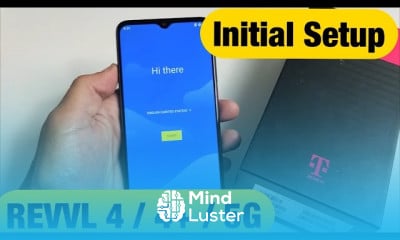
T Mobile REVVL 4 4 5G How to Setup from Beginning Initial Setup
T Mobile REVVL 4 4 5G How to Insert SIM CARD Properly
T Mobile REVVL 4 4 5G Black Screen Display Won t Turn On Easy Fixes
T Mobile REVVL 4 4 5G How to Transfer Photos Videos to Windows Computer PC Laptop w Cable
T Mobile REVVL 4 4 5G How to Copy Photos Videos to Macbook iMac Apple Computer w No iTunes
T Mobile REVVL 4 4 5G How to Move Photos Videos to any Chromebook s Hard Drive
T Mobile REVVL 4 4 5G Save Camera Photos Videos to SD Card Automatically
T Mobile REVVL 4 4 5G How to Add Battery Percentage on Status Bar
T Mobile REVVL 4 4 5G How to Change Screen Timeout Before Phone Locks Sleeps
T Mobile REVVL 4 4 How to Setup a Fingerprint Password
T Mobile REVVL 4 4 5G How to Setup Face ID Password Face Key
T Mobile REVVL 4 4 5G How to Force a Restart Forced Restart
T Mobile REVVL 4 4 5G Frozen or Stuck Screen Unresponsive FIXED
T Mobile REVVL 4 4 5G How to Wipe Cache Partition Fix Slow or Laggy Phone
T Mobile REVVL 4 4 5G Forgot Password or PIN Master Factory Reset
T Mobile REVVL 4 4 5G How to Factory Reset Clean Slate or Selling
T Mobile REVVL 4 4 5G Keeps Restarting Stuck in Boot Loop Easy Fixes
T Mobile REVVL 4 4 5G V How to Enable USB Debugging Developer Options
How to Get The Certificate
-
You must have an
Account
on the platform.
-
Complete all lessons.
-
Watch at least 50% of Lesson Duration.
-
Get your Certificate free 🎉 !
4.1
(48 reviews)
Overall rating

Reviews
Be the First One Review This Course
Related Courses
View All


















T Mobile REVVL 4 4+ 5G Black Screen Solutions Course Description
T-Mobile REVVL 4/4+/5G Black Screen course, in this course designed to address and resolve black screen issues encountered on these devices. Throughout this course, we'll explore common causes of black screen problems, such as software glitches, hardware malfunctions, or display failures specific to the T-Mobile REVVL 4, 4+, and 5G models. Participants will learn step-by-step troubleshooting techniques to diagnose the root cause of the black screen and implement effective solutions to restore functionality to their devices. Whether you're a novice user or a seasoned tech enthusiast, this course will empower you to confidently troubleshoot and resolve black screen issues on your T-Mobile REVVL device. Join us as we delve into the intricacies of T-Mobile REVVL black screen problems and unlock the solutions needed to keep your device running smoothly.
Focus on Learning, Not Ads
Experience the full power of Mindluster with Premium.
No distractions, just pure education.
Cancel your subscription anytime
