NICE
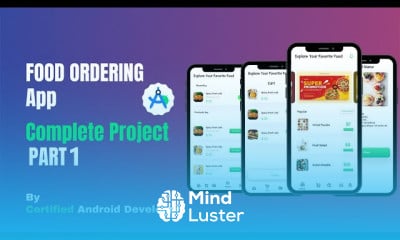
Food ordering app backend course, in this course you'll delve deep into the essential components and functionalities required to build a robust backend for your food ordering application. From database management and API development to user authentication, order processing, and security measures, we cover all aspects of backend development. Join us to gain the skills and knowledge needed to create a seamless and efficient backend infrastructure that powers your food delivery service effectively. Let's dive in and explore the intricacies of Food Ordering App Backend together.
To Register in Course you have to watch at least 30 Second of any lesson
What You'll Learn
-
Design and implement scalable database schemas for food ordering applications using SQL and NoSQL technologies
-
Develop RESTful APIs to handle user registration, login, and profile management with secure authentication methods
-
Build efficient order processing systems that manage real-time updates and transaction integrity in food delivery apps
-
Integrate third-party payment gateways to facilitate secure and seamless online transactions for food orders
-
Implement user authentication and authorization protocols to protect sensitive data and ensure secure access
-
Apply security best practices, including data encryption and vulnerability mitigation, to safeguard backend infrastructure
-
Optimize backend performance through caching, load balancing, and efficient query handling for high traffic volumes
-
Create comprehensive API documentation to support frontend integration and third-party developer collaboration
-
Utilize version control systems like Git for collaborative development and maintaining code quality in backend projects
-
Troubleshoot and debug backend issues effectively to ensure reliable and uninterrupted food ordering service
Course Content
34 Lessons • 20 h 14 m total
Splash Start Food Ordering App with Admin App in Android 1 Android Studio Project
Login Signup Food Ordering App with Admin App in Android 2 in Hindi Android Studio Project
Choose Location Feature in Android Food Ordering App with Admin App 3 Android Studio Project
Implementation of BottomNavigation and Fragments Food Ordering App 4 Android Studio Project
Implementation of Banners Adding Popular Food Items Food Ordering App 5 Android Studio Project
Implementation of Cart Increase Decrease Delete Feature Food Ordering App 6 Android Project
Implementation of Menu And Search Food Ordering App with Admin App 7 Android Studio Project
Implementation of Recent Purchase History Food Ordering App with Admin Panel 8 Android Project
Implementation of Notifications and User Profile Food Ordering App 9 Android Studio Project
Implementation of Food Details Some Corrections Food Ordering App 10 Android Studio Project
Implementation of Food Item Details Some Corrections Food Ordering App 11 Android Project
Admin Panel 1 Splash Screen and Login Sign up Food Ordering App Android Studio Project
Admin Panel 2 Implementation of Dashboard Main Screen Food Ordering App Android Studio Project
Admin Panel 3 Adding Items and all Stocks Screen Food Ordering App Android Studio Project
Admin Panel 4 Delivery Status Admin Profile Screen Food Ordering App Android Studio Project
Admin Panel 5 New Users Pending Orders Screen Food Ordering App Android Studio Project
Backend of Food Ordering App 1 Sign Up with Email in Admin Panel Complete Android Studio Project
Backend of Food Ordering App 2 Sign In with Email in Admin Panel Complete Android Studio Project
Backend of Food Ordering App 3 Google Authentication Sign Up Sign In Android Studio Project
Backend of Food Ordering App 4 Add Items into Realtime Database in Admin Panel Android Project
Food Ordering App Backend 5 Retrieve Items from Firebase Database and Show on RecyclerView
Food Ordering App Backend 6 Google Authentication Sign Up with Email Password using Firebase
Food Ordering App Backend 7 Google Authentication Sign In with Email Password using Firebase
Food Ordering App Backend 8 Reterive Menu List in RecyclerView Show Details of Food
Food Ordering App Backend 9 Show Popular Random Menu List in User App Show Details of Food
Food Ordering App Backend 10 Add Food in Cart Show Data in Cart Complete Android Studio Project
Food Ordering App Backend 11 Setting Up User Info Before Ordering Android Studio Project
Food Ordering App Backend 12 Profile Setup Cart Price Quantity Calculation Android Project
Food Ordering App Backend 13 Order Placement Item History Retrieval Android Studio Project
Food Ordering App Backend 14 Displaying Recent Purchase History Android Studio Project
Food Ordering App Backend 15 Displaying Recent Purchases Setting up Search Android Project
Food Ordering App Backend 16 Displaying All Pending Orders with Food Items Android Project
Food Ordering App Backend 17 Order Acceptance Dispatch Order Status Tracking Android Project
Food Ordering App Tutorial Backend 18 Setting up Pending Orders Order Completion and Profile
How to Get The Certificate
-
You must have an Account on the platform.
-
Complete all lessons.
-
Watch at least 50% of Lesson Duration.
-
Get your Certificate free 🎉 !
4.4
(42 reviews)
Overall rating
Reviews
Be the First One Review This Course
Didn't expected for the course to be so completed. Good work.
Food ordering app backend development Course Description
Food ordering app backend course, in this course you'll delve deep into the essential components and functionalities required to build a robust backend for your food ordering application. From database management and API development to user authentication, order processing, and security measures, we cover all aspects of backend development. Join us to gain the skills and knowledge needed to create a seamless and efficient backend infrastructure that powers your food delivery service effectively. Let's dive in and explore the intricacies of Food Ordering App Backend together.
Focus on Learning, Not Ads
Experience the full power of Mindluster with Premium.
No distractions, just pure education.
Cancel your subscription anytime
















