Web banner desgin using Photoshop for sports Course

 (24 reviews)
-
 20 Lessons
-
 85 Students
- Certificate of completion


Web banner desgin using Photoshop course, in this course we will learn about web banner design using Photoshop, covering everything from the basics to advanced techniques. You'll master Photoshop tools and explore key design principles, including layout, typography, color schemes, and imagery. Step-by-step tutorials will guide you through the process of creating, optimizing, and exporting web banners for various platforms. Whether you're a beginner or looking to enhance your skills, this course will help you create visually appealing and effective web banners that stand out in the digital landscape. Join us to elevate your design skills and make an impact online.
 To Register in Course you have to watch at least 30 Second of any lesson
What You'll Learn
-
 Create eye-catching sports web banners using Photoshop tools and design principles for digital marketing and advertising
-
Apply layout, typography, and color schemes to craft visually appealing sports banners for online platforms
-
Utilize Photoshop techniques to optimize and export web banners for various digital channels and devices
-
Implement effective imagery and branding strategies to enhance sports marketing campaigns through web banners
-
Develop skills to design responsive and engaging banners that increase user engagement and click-through rates
-
Analyze design trends to create modern, professional sports banners that stand out online
-
Use Photoshop to troubleshoot common design issues and ensure high-quality banner outputs
-
Create web banners aligned with sports branding guidelines to boost online visibility and audience engagement
Course Content
20 Lessons • 4 h 48 m total

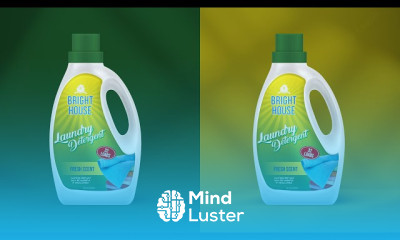
Product Packaging Design Detergent Bottle Design with Mockup illustrator or Photoshop tutorial
illustrator Photoshop Tutorial Product Packaging Design With psd File
adobe photoshop tutorial 2022 Birthday Banner design With New Style
Adobe Photoshop tutorial How To Make Stylish Banner Design with 3D Effect
Coreldraw With Photoshop Tutorial How to make Tea Packaging Design or Mockup
Manipulation Banner Design Adobe photoshop tutorial Urdu Hindi
How To Create Your Own Mockup Design First time in youtube
Product Design Tutorial Dish wash Liquid Bottle Adobe photoshop with Adobe illustrator
Make 3D Model Using Adobe illustrator or Photoshop Take a New Way
Label Design Olive Oil Bottle With Mockup Adobe illustrator tutorial Product Designing
Make Something Amazing Adobe capsule Photoshop illustrator
WINGS PACKAGING DESIGN with Mockup illustrator Photoshop
Product Promotion Poster Design illustrator Photoshop
illustrator with Photoshop Car Advertising Typography Banner Post Design Urdu Hindi
Adobe Photoshop Tutorial Orange Juice Manipulation Banner Design urdu hindi
Colorful Background Design Adobe Photoshop tutorial
Speed art Photoshop Tutorial Night Party Post Flyer Brochure idea as graphics
Adobe Photoshop Tutorial Turn Your Photo To Cartoon Effect Urdu hindi
Adobe Photoshop tutorial 2022 Web Banner Desgin for Sports
NESCAFÉ ADVERTISING DESIGN Product manipulation in Photoshop
How to Get The Certificate
-
You must have an
Account
on the platform.
-
Complete all lessons.
-
Watch at least 50% of Lesson Duration.
-
Get your Certificate free 🎉 !
4.4
(24 reviews)
Overall rating

Reviews
Be the First One Review This Course
Related Courses
View All















Web banner desgin using Photoshop for sports Course Description
Web banner desgin using Photoshop course, in this course we will learn about web banner design using Photoshop, covering everything from the basics to advanced techniques. You'll master Photoshop tools and explore key design principles, including layout, typography, color schemes, and imagery. Step-by-step tutorials will guide you through the process of creating, optimizing, and exporting web banners for various platforms. Whether you're a beginner or looking to enhance your skills, this course will help you create visually appealing and effective web banners that stand out in the digital landscape. Join us to elevate your design skills and make an impact online.
Focus on Learning, Not Ads
Experience the full power of Mindluster with Premium.
No distractions, just pure education.
Cancel your subscription anytime
