

Mahjabeen Amin
Excellent!
 (6 reviews)
 8 Lessons
 50 Students
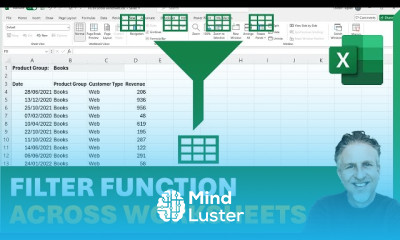
Excel filter function basics course, in this course we will learn about the Excel FILTER function basics. This course is designed to introduce you to the fundamental aspects of the FILTER function in Excel, a powerful tool for dynamically filtering data in your spreadsheets. You will learn how to use the FILTER function to extract specific data subsets from larger datasets based on given criteria. The course will cover the basic syntax of the FILTER function, how to apply multiple conditions, and how to handle common errors that may arise during use. Through practical examples and real-world applications, you will gain the skills to quickly and easily filter data, making your data analysis tasks more efficient and effective. Additionally, the course will delve into advanced topics such as combining the FILTER function with other Excel functions to create more complex and dynamic data analysis solutions. By the end of this course, you will be proficient in using the FILTER function to organize and analyze data, enhancing your overall productivity in Excel. This course is ideal for both beginners and experienced users looking to refine their data management skills and leverage the full potential of Excel's filtering capabilities.
 To Register in Course you have to watch at least 30 Second of any lesson
 Master how to apply Excel FILTER function to extract specific data subsets efficiently using basic syntax and criteria keywords
Use multiple conditions with Excel FILTER function to perform complex data filtering for accurate analysis and reporting
Troubleshoot common errors in Excel FILTER function to ensure reliable data filtering and improve spreadsheet accuracy
Combine Excel FILTER with other functions like SORT and UNIQUE to create dynamic, multi-layered data analysis solutions
Implement real-world data filtering scenarios to enhance productivity and streamline data management tasks in Excel
Create advanced data filters by integrating Excel FILTER with logical operators for customized data analysis
8 Lessons • 37 m total
 You must have an
Account
on the platform.
Complete all lessons.
Watch at least 50% of Lesson Duration.
Get your Certificate free 🎉 !
4.3
(6 reviews)
Overall rating

Be the First One Review This Course
Excellent!

Nice
Nice

Good

Learned excel filter function

Awesome

better

Wonderful
Very good lessons
very hapeful and useful
Good course

Excel filter function basics course, in this course we will learn about the Excel FILTER function basics. This course is designed to introduce you to the fundamental aspects of the FILTER function in Excel, a powerful tool for dynamically filtering data in your spreadsheets. You will learn how to use the FILTER function to extract specific data subsets from larger datasets based on given criteria. The course will cover the basic syntax of the FILTER function, how to apply multiple conditions, and how to handle common errors that may arise during use. Through practical examples and real-world applications, you will gain the skills to quickly and easily filter data, making your data analysis tasks more efficient and effective. Additionally, the course will delve into advanced topics such as combining the FILTER function with other Excel functions to create more complex and dynamic data analysis solutions. By the end of this course, you will be proficient in using the FILTER function to organize and analyze data, enhancing your overall productivity in Excel. This course is ideal for both beginners and experienced users looking to refine their data management skills and leverage the full potential of Excel's filtering capabilities.
Experience the full power of Mindluster with Premium.
No distractions, just pure education.
Cancel your subscription anytime


















