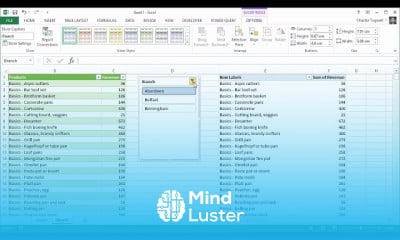
Combining multiple files in PowerQuery Course

 (90 reviews)
-
 18 Lessons
-
 7 Students
- Certificate of completion


Combining multiple files in PowerQuery course, in this course we will learn about combining multiple files in PowerQuery. This course will guide you through the process of using PowerQuery in Excel to automate the consolidation of data from multiple files located in the same folder. You will learn how to import data from a folder, combine the contents of these files into a single table, and perform data transformations to prepare your data for analysis. We will cover the steps to configure PowerQuery to automatically update as new files are added to the folder, ensuring your data remains current. Additionally, you will discover advanced techniques for handling different file formats and structures, customizing the import process, and optimizing the performance of your queries. Practical examples and hands-on exercises will help you master these skills and apply them to real-world scenarios. By the end of the course, you will be proficient in using PowerQuery to efficiently combine and manage data from multiple files, enhancing your data analysis capabilities and improving productivity. This course is ideal for data analysts, Excel enthusiasts, and anyone looking to streamline their data consolidation processes. Join us to unlock the full potential of PowerQuery for combining multiple files.
 To Register in Course you have to watch at least 30 Second of any lesson
What You'll Learn
-
 Master combining multiple Excel, CSV, and text files using PowerQuery for efficient data consolidation and analysis
-
Automate data import and refresh processes in PowerQuery to keep datasets current with new file additions
-
Transform and clean data from various file formats and structures to prepare for accurate analysis and reporting
-
Configure PowerQuery to handle different file types, formats, and folder structures for seamless data integration
-
Optimize PowerQuery queries for improved performance and faster data processing in large datasets
-
Apply advanced techniques to customize data import, transformation, and merging workflows in PowerQuery
-
Troubleshoot common issues in PowerQuery data consolidation to ensure reliable and error-free results
-
Utilize PowerQuery to streamline data management, enhance productivity, and support data-driven decision-making
Course Content
18 Lessons • 2 h 41 m total

PowerQuery Combining Multiple Files in the Same Folder
Combine Multiple Worksheets Into One Worksheet in Excel Using Append Query
How to Extract Numbers from Text in Excel 3 Methods Power Query VBA Function TEXTJOIN Formula
Combine Multiple Rows into One Cell Separated by Comma Using Excel s Power Query
Real Time Currency Converter in Excel Multiple Currencies Web Query Currency Data Type Methods
How to Create a PivotTable From MULTPLE SHEETS in Excel Different Headers or With the Same Headers
Convert PDF to Excel Convert Multi Page PDF to Excel Import Multiple PDFs Tables into Excel
Import Access Tables into Excel Update Excel Spreadsheet from Access Database Using Power Query
How to Join Tables in Excel Merge or Append Data From Different Sheets Using Power Query
Automatically Update Data in Another Excel Worksheet or Workbook 3 Methods
Export Word Form Data to Excel Extract Form Data From Multiple Word Documents Automatically
Combine Data from Multiple Sheets into One Sheet In Excel Consolidate Tables into a Single Sheet
Hyperlink to Files and Folders in Excel Create Links to all Files and Sub folders in a Folder
Automatically Import Data From Google Sheets to Excel Link Google Sheets to Excel in Real Time
Combine Data from Multiple Workbooks in a Folder Using Microsoft Excel s Power Query
Merge Duplicate Rows in Excel Combining Unique Values in One Cell
How to Add Spaces Before Capital Letters in Excel 2 Methods
Convert JSON to Excel Import JSON to Excel Table Parse JSON to Excel Columns
How to Get The Certificate
-
You must have an
Account
on the platform.
-
Complete all lessons.
-
Watch at least 50% of Lesson Duration.
-
Get your Certificate free 🎉 !
4.7
(90 reviews)
Overall rating

Reviews
Be the First One Review This Course
Related Courses
View All


















Combining multiple files in PowerQuery Course Description
Combining multiple files in PowerQuery course, in this course we will learn about combining multiple files in PowerQuery. This course will guide you through the process of using PowerQuery in Excel to automate the consolidation of data from multiple files located in the same folder. You will learn how to import data from a folder, combine the contents of these files into a single table, and perform data transformations to prepare your data for analysis. We will cover the steps to configure PowerQuery to automatically update as new files are added to the folder, ensuring your data remains current. Additionally, you will discover advanced techniques for handling different file formats and structures, customizing the import process, and optimizing the performance of your queries. Practical examples and hands-on exercises will help you master these skills and apply them to real-world scenarios. By the end of the course, you will be proficient in using PowerQuery to efficiently combine and manage data from multiple files, enhancing your data analysis capabilities and improving productivity. This course is ideal for data analysts, Excel enthusiasts, and anyone looking to streamline their data consolidation processes. Join us to unlock the full potential of PowerQuery for combining multiple files.
Focus on Learning, Not Ads
Experience the full power of Mindluster with Premium.
No distractions, just pure education.
Cancel your subscription anytime
