XLOOKUP multiple columns in excel Course

 (60 reviews)
-
 49 Lessons
-
 22 Students
- Certificate of completion


XLOOKUP multiple columns in excel course, in this course you'll learn how to leverage the XLOOKUP function to perform lookups across multiple columns efficiently. We start with the fundamentals of XLOOKUP, exploring how it replaces older functions like VLOOKUP and HLOOKUP, and extend its capabilities to handle complex scenarios involving multiple columns. You'll discover how to search for values using single or multiple criteria, retrieve data from various columns, and manage return arrays. Practical examples and hands-on exercises will guide you through combining lookup values, handling arrays, and performing dynamic lookups. By the end of the course, you'll be able to streamline data retrieval tasks and enhance your Excel data analysis skills using XLOOKUP across multiple columns.
 To Register in Course you have to watch at least 30 Second of any lesson
What You'll Learn
-
 Master how to perform multi-column lookups using XLOOKUP for efficient data retrieval in Excel
-
Apply XLOOKUP to search across multiple columns with single or multiple criteria in real-world datasets
-
Utilize XLOOKUP to retrieve data from various columns dynamically, improving data analysis accuracy
-
Replace traditional VLOOKUP and HLOOKUP functions with advanced XLOOKUP techniques for better performance
-
Handle complex lookup scenarios involving arrays and multiple return values in Excel
-
Create dynamic formulas using XLOOKUP to streamline data management and reporting tasks
-
Troubleshoot common errors in multi-column XLOOKUP formulas for reliable results
-
Implement best practices for combining lookup values across multiple columns in Excel
-
Enhance data analysis skills by integrating XLOOKUP with other Excel functions like FILTER and SORT
-
Design efficient workflows for large datasets using XLOOKUP across multiple columns
-
Develop customized solutions for multi-criteria lookups in complex Excel spreadsheets
-
Improve productivity by automating multi-column data retrieval with advanced XLOOKUP techniques
Course Content
49 Lessons • 6 h 39 m total

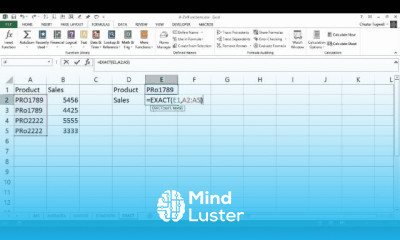
Excel Case Sensitive Lookup Using EXACT
VLOOKUP Across Multiple Tables CHOOSE VLOOKUP
Dealing with the N A error in Excel VLOOKUPs
Excel TRIM VLOOKUP Remove Trailing and Extra Spaces in Lookup Values
Use Excel s INDEX Function to Return an Array Vs Value
Lookup on Each Duplicate Value in Excel
Use Excel s OFFSET Function to SUM Through To a Specified Year
Using Excel s SWITCH Function to VLOOKUP Multiple Tables
EXCEL VLOOKUP CONCATENATION USING THE CHOOSE FUNCTION
Use FILTER Function to Dynamically LOOKUP RETURN ALL Corresponding Values in Another Table
VLOOKUP vs XLOOKUP with Multiple Cell Criteria
XLOOKUP Create a Multi Column Non Contiguous Return Array
Lookup and Return Multiple Results into One Cell Separated by Comma or Similar Delimiter
Lookup Picture in Excel Based on Cell Value Image Lookup Based on Index Match
How to Perform Fuzzy Match or Partial Match Lookups in Excel
VLOOKUP Sum ALL Matching Values Or Sum ENTIRE MATCHING ROW or COLUMN
VLOOKUP IF VALUE NOT FOUND Return BLANK or ZERO
IF Formula for LETTER GRADES Calculation in Excel
Compare Two Columns in Excel to Find Differences or Similarities
How to do an IF VLOOKUP IF and VLOOKUP Nested Function IF TRUE Return Value From Another Column
Excel Find Numbers Between Range FILTER VLOOKUP to Find a Value that Falls Between a Range
Excel Automatically Sort When Data Changes or Added Auto Sort Excel Formula Auto Sort Macro
If Time is Within Range If Time is Greater Than or Less Than Return Value Lookup Time in Range
IF and VLOOKUP Nested Function VLOOKUP with a Drop down VLOOKUP with a Condition
Assign Categories Based on Keywords in Excel Check if Cell Contains Text From List
How to VLOOKUP the Last Occurrence of a Value in a Column VLOOKUP Last Match
Lookup the Last Value in a Column or Row in Excel Get the Value in the Last Non Empty Cell
SUM or AVERAGE Text Values Like Numbers in Excel Assign Numeric Value to Text and Sum or Average
Fix VLOOKUP SPILL Error The Formula you have entered may spill beyond the edges of the worksheet
Select from Drop Down and Pull Data from Different Worksheet in Excel VLOOKUP Drop down
LOOKUP and Ignore Extra Spaces Combine XLOOKUP TRIM CLEAN in a Custom LAMBDA Function
How to Use Excel s INDEX MATCH Functions Why XLOOKUP and XMATCH Might Serve You Better
Auto Populate Other Cells When Selecting Values in Excel Drop Down List VLOOKUP to Auto Populate
VLOOKUP Between Two Worksheets How to VLOOKUP From Another Sheet
How to Use XLOOKUP Across Two Worksheets XLOOKUP Examples Across Two Sheets
How to VLOOKUP Across Multiple Worksheets Using VLOOKUP INDIRECT MATCH INDEX
IFNA or IFERROR VLOOKUP Across Multiple Worksheets in Excel
Excel Find Replace Multiple Words or Characters at Once 3 Methods VLOOKUP SUBSTITUTE VBA Macro
Sum XLOOKUP XLOOKUP Sum Row or Range Sum XLOOKUP Multiple Columns
Convert Dates to Fiscal Year and Quarter Formula in Excel Group Dates By Fiscal Year and Quarter

How to Get The Certificate
-
You must have an
Account
on the platform.
-
Complete all lessons.
-
Watch at least 50% of Lesson Duration.
-
Get your Certificate free 🎉 !
4.4
(60 reviews)
Overall rating

Reviews
Be the First One Review This Course
Related Courses
View All


















XLOOKUP multiple columns in excel Course Description
XLOOKUP multiple columns in excel course, in this course you'll learn how to leverage the XLOOKUP function to perform lookups across multiple columns efficiently. We start with the fundamentals of XLOOKUP, exploring how it replaces older functions like VLOOKUP and HLOOKUP, and extend its capabilities to handle complex scenarios involving multiple columns. You'll discover how to search for values using single or multiple criteria, retrieve data from various columns, and manage return arrays. Practical examples and hands-on exercises will guide you through combining lookup values, handling arrays, and performing dynamic lookups. By the end of the course, you'll be able to streamline data retrieval tasks and enhance your Excel data analysis skills using XLOOKUP across multiple columns.
Focus on Learning, Not Ads
Experience the full power of Mindluster with Premium.
No distractions, just pure education.
Cancel your subscription anytime
