

Haritha J.Y
Nice
 (11 reviews)
 5 Lessons
 113 Students
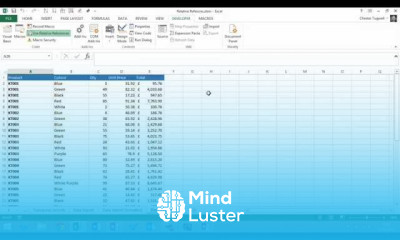
Creating recorded macros in excel course, in this course we will delve into the world of creating recorded macros in Excel, a powerful tool to automate repetitive tasks and enhance productivity. Starting with the basics, you will learn how to record a macro, assign it a meaningful name, and choose where to store it for optimal accessibility. We will then guide you through the process of performing and recording various actions in Excel, such as formatting cells, entering data, and applying formulas, to create a seamless automation script. Participants will gain hands-on experience in managing and running recorded macros, ensuring efficient execution of routine tasks. Additionally, the course will cover best practices for editing and optimizing macros using the Visual Basic for Applications (VBA) editor, allowing for customization and enhancement of recorded macros. By the end of this course, you will be proficient in creating and utilizing recorded macros to streamline your workflows, reduce manual effort, and eliminate errors. Whether you are a beginner or an intermediate Excel user, this course will equip you with the skills to harness the full potential of Excel macros, making your data management and analysis tasks more efficient and effective. Join us to master the art of creating recorded macros in Excel and take your productivity to the next level.
 To Register in Course you have to watch at least 30 Second of any lesson
 Create and record Excel macros to automate repetitive tasks and improve workflow efficiency using built-in tools
Assign meaningful names and store recorded macros for easy access and organization in Excel
Edit and optimize recorded macros using VBA editor to customize automation and enhance performance
Apply best practices for managing and running macros to streamline data entry, formatting, and formula application
5 Lessons • 42 m total
You must have an
Account
on the platform.
Complete all lessons.
Watch at least 50% of Lesson Duration.
Get your Certificate free 🎉 !
4.5
(11 reviews)
Overall rating

Be the First One Review This Course
Nice

Good
Nice

Good
Good
Ok

Good
GREAT
very good

.
tanks
Thank you

Creating recorded macros in excel course, in this course we will delve into the world of creating recorded macros in Excel, a powerful tool to automate repetitive tasks and enhance productivity. Starting with the basics, you will learn how to record a macro, assign it a meaningful name, and choose where to store it for optimal accessibility. We will then guide you through the process of performing and recording various actions in Excel, such as formatting cells, entering data, and applying formulas, to create a seamless automation script. Participants will gain hands-on experience in managing and running recorded macros, ensuring efficient execution of routine tasks. Additionally, the course will cover best practices for editing and optimizing macros using the Visual Basic for Applications (VBA) editor, allowing for customization and enhancement of recorded macros. By the end of this course, you will be proficient in creating and utilizing recorded macros to streamline your workflows, reduce manual effort, and eliminate errors. Whether you are a beginner or an intermediate Excel user, this course will equip you with the skills to harness the full potential of Excel macros, making your data management and analysis tasks more efficient and effective. Join us to master the art of creating recorded macros in Excel and take your productivity to the next level.
Experience the full power of Mindluster with Premium.
No distractions, just pure education.
Cancel your subscription anytime


















