

VIGNESH P
Okey
 (103 reviews)
 2 Lessons
 246 Students
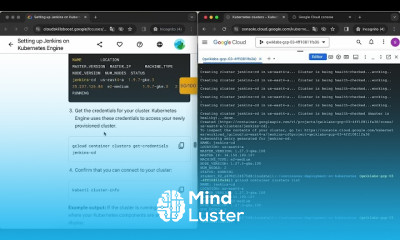
Setting Jenkins on kubernetes engine course, in this course we will learn about Setting Jenkins on Kubernetes Engine, focusing on how to effectively deploy and manage Jenkins, a popular continuous integration and continuous deployment (CI/CD) tool, on Google Kubernetes Engine (GKE). Google Kubernetes Engine (GKE) is a managed, production-ready environment for running containerized applications, making it an ideal platform for Jenkins, which can automate the building, testing, and deployment of applications. The course covers key topics such as creating and configuring a Kubernetes cluster on GKE, deploying Jenkins using Helm or custom YAML configurations, and setting up Jenkins pipelines to automate various development tasks. You will learn how to optimize Jenkins' performance on Kubernetes, including scaling Jenkins agents dynamically based on workload, and ensuring high availability. Additionally, the course will guide you through best practices for integrating Jenkins with Kubernetes, such as using Kubernetes plugins for Jenkins, managing Jenkins credentials securely, and automating the deployment of applications directly to Kubernetes clusters. By the end of this course, you will have the skills to set up and manage Jenkins on GKE, enabling you to streamline your CI/CD processes in a scalable and efficient manner.
 To Register in Course you have to watch at least 30 Second of any lesson
 Configure Kubernetes clusters on Google Kubernetes Engine for Jenkins deployment and management
Deploy Jenkins on GKE using Helm charts and custom YAML configurations effectively
Implement scalable Jenkins agents on Kubernetes to optimize CI/CD workflows and workload handling
Integrate Jenkins with Kubernetes plugins for seamless automation, high availability, and secure credential management
2 Lessons • 12 m total
You must have an
Account
on the platform.
Complete all lessons.
Watch at least 50% of Lesson Duration.
Get your Certificate free 🎉 !
4.5
(103 reviews)
Overall rating

Be the First One Review This Course
Okey

Excellent

Excellent
Good

Ok

Ok

Good
Good
It was a good experience setting jenkins on kubernetes engine course
Nice
Super

Good

Setting Jenkins on kubernetes engine course, in this course we will learn about Setting Jenkins on Kubernetes Engine, focusing on how to effectively deploy and manage Jenkins, a popular continuous integration and continuous deployment (CI/CD) tool, on Google Kubernetes Engine (GKE). Google Kubernetes Engine (GKE) is a managed, production-ready environment for running containerized applications, making it an ideal platform for Jenkins, which can automate the building, testing, and deployment of applications. The course covers key topics such as creating and configuring a Kubernetes cluster on GKE, deploying Jenkins using Helm or custom YAML configurations, and setting up Jenkins pipelines to automate various development tasks. You will learn how to optimize Jenkins' performance on Kubernetes, including scaling Jenkins agents dynamically based on workload, and ensuring high availability. Additionally, the course will guide you through best practices for integrating Jenkins with Kubernetes, such as using Kubernetes plugins for Jenkins, managing Jenkins credentials securely, and automating the deployment of applications directly to Kubernetes clusters. By the end of this course, you will have the skills to set up and manage Jenkins on GKE, enabling you to streamline your CI/CD processes in a scalable and efficient manner.
Experience the full power of Mindluster with Premium.
No distractions, just pure education.
Cancel your subscription anytime


















