


Muhammad Bilal
It's very helpful for me
 (6 reviews)
 55 Lessons
 432 Students
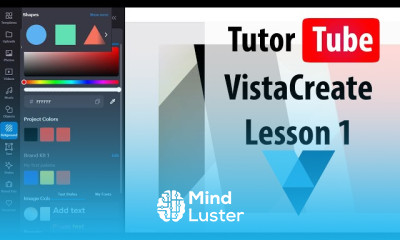
VistaCreate social account management course, in this course we will explore the essential skills needed for VistaCreate social account management. You’ll learn how to effectively manage and optimize your social media accounts using the powerful tools offered by VistaCreate. This course will guide you through the process of creating visually appealing content with VistaCreate’s easy-to-use templates, graphics, and animations, tailored for various social media platforms. You’ll also discover how to schedule posts, plan your content calendar, and manage multiple social accounts from one place, ensuring consistent and engaging content across all platforms. We will cover strategies for boosting engagement, analyzing performance metrics, and making data-driven decisions to improve your social media presence. By the end of this course, you’ll be equipped with the knowledge and skills to streamline your social media management, save time, and increase your online visibility. Whether you’re a small business owner, a social media manager, or an individual looking to enhance your social media strategy, this course is designed to help you succeed with VistaCreate.
 To Register in Course you have to watch at least 30 Second of any lesson
 Create visually appealing social media content using VistaCreate templates, graphics, and animations for various platforms
Schedule and plan social media posts effectively with VistaCreate’s content calendar and management tools
Manage multiple social media accounts from a single dashboard to ensure consistent branding and messaging
Optimize social media content to boost engagement, reach, and audience interaction across platforms
Analyze performance metrics and insights to evaluate content effectiveness and refine social media strategies
Implement data-driven decisions to improve social media campaigns and increase online visibility
Design branded visuals that align with marketing goals using VistaCreate’s customization features
Streamline social media workflows to save time and enhance productivity for small businesses and teams
Develop a comprehensive content strategy tailored to target audiences and platform-specific trends
Utilize VistaCreate’s tools to create animations and videos that enhance social media storytelling
Monitor social media trends and adapt content strategies to stay relevant and competitive
Enhance online presence by integrating visual content that drives higher engagement and follower growth
55 Lessons • 2 h 26 m total

 You must have an
Account
on the platform.
Complete all lessons.
Watch at least 50% of Lesson Duration.
Get your Certificate free 🎉 !
4.7
(6 reviews)
Overall rating

Be the First One Review This Course
It's very helpful for me
Excellent
Excelent
EXCELLENT
Excellent
Super

Excellent

VistaCreate social account management course, in this course we will explore the essential skills needed for VistaCreate social account management. You’ll learn how to effectively manage and optimize your social media accounts using the powerful tools offered by VistaCreate. This course will guide you through the process of creating visually appealing content with VistaCreate’s easy-to-use templates, graphics, and animations, tailored for various social media platforms. You’ll also discover how to schedule posts, plan your content calendar, and manage multiple social accounts from one place, ensuring consistent and engaging content across all platforms. We will cover strategies for boosting engagement, analyzing performance metrics, and making data-driven decisions to improve your social media presence. By the end of this course, you’ll be equipped with the knowledge and skills to streamline your social media management, save time, and increase your online visibility. Whether you’re a small business owner, a social media manager, or an individual looking to enhance your social media strategy, this course is designed to help you succeed with VistaCreate.
Experience the full power of Mindluster with Premium.
No distractions, just pure education.
Cancel your subscription anytime