Microsoft Excel How to course

4.6 (22 reviews)
Created by:

Learn Accounting Finance

  • 50 Lessons
  • 1.2K Students
  • Certificate of completion

we will learn about Microsoft Excel course, covering spreadsheet creation, formula use, data analysis with pivot tables, and automation through macros. Learn Accounting Finance

To Register in Course you have to watch at least 30 Second of any lesson

What You'll Learn

  • Master creating and formatting spreadsheets for efficient data management in Microsoft Excel
  • Apply essential formulas and functions to perform accurate calculations and data analysis
  • Utilize pivot tables to summarize, analyze, and visualize complex datasets effectively
  • Automate repetitive tasks using macros to enhance productivity and workflow efficiency
  • Implement data validation and conditional formatting for improved data accuracy and presentation
  • Create dynamic charts and graphs to visualize financial and accounting data clearly
  • Analyze financial data with advanced Excel tools for better decision-making and reporting
  • Develop customized templates and dashboards for accounting and finance reporting needs
  • Troubleshoot common Excel errors and optimize spreadsheet performance for large datasets
  • Integrate Excel with other Microsoft Office tools for seamless data sharing and collaboration
  • Use Excel's data analysis tools to identify trends, patterns, and insights in financial data
  • Apply best practices for data security and version control in Excel spreadsheets

Course Content

50 Lessons • 5 h 5 m total

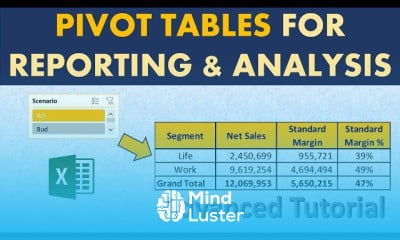
Advanced Pivot table tricks for Reporting and Analysis

21:34

Pivot Table Automation with Calculated Field and Calculated Item When and How to Use Each

15:17

Sort Pivot Table Values Largest to Smallest text dates and More All about Sorting

10:39

Using Pivot Tables to transform Large data into Beautiful Summaries Beginner Pivot table Tutorial

11:10

XLookup for Accountants Wow

19:13

Create Waterfall Chart Auto update Bar Colour and Data labels Advanced Tutorial

21:35

How to Create a Dynamic Chart with Excel Drop Down list Excel dynamic Chart

10:46

Dynamic Dependent drop down list in Excel Part 2 Data Linked Drop down list

4:08

Excel How to create a drop down list Part 1

5:27

Excel Daily Sales Report Automating monthly Days billed and Billings days

16:00

How to Convert Numbers stored as text to Numbers blink of an eye

3:03

Vlookup Automation Do not worry about column number

10:22

How to Lookup Names with Spelling Errors All types of Spelling mistakes Excel Vlookup and Xlookup

11:23

How to use Vlookup in Excel 2013 Excel Vlookup Vlookup Excel 2013

5:53

How to find selling price with cost and profit margin only

6:07

How to calculate selling price with cost and margin Discount and Rebate included

7:47

Etsy fees explained how to calculate selling price and make profit

17:32

Top 13 Excel Hacks for Accounting Finance from a fellow Finance Professional

31:40

How to Calculate Units to sell at different Selling prices

2:34

How Change in Selling prices impacts required Units Sold

5:04

How to Copy a sheet in Excel to a New file or Existing file

0:31

How to Turn off Automatic calculations and Formulas in Excel

0:23

Why my Pivot Table does not work

0:46

Automate daily reporting in Excel using Pivot Tables

17:11

Quickly Split Data in Excel into columns with Flash fill

0:56

Auto Refresh Pivot Table Data Great for Reporting

0:59

Automate Graphs in Excel with GetPivotData for Dashboards

0:53

Dynamically update Pivot Table when source data changes

1:00

Convert image in email to data in Excel

1:00

Using Vlookup Here is what you are missing

0:54

How to Unhide the Sheets bar in Excel

0:39

Repeat top rows Titles when printing Repeat rows at top grayed out

0:59

Pivot Table Hack Quickly create Data Ranges

1:00

Purchasing decisions Which vendor rebate is better

12:50

Top Excel Shortcuts for working with Data

0:48

Excel s single most valuable shortcut You are welcome

0:33

How to sum filtered data in Excel

0:32

How to sum data excluding subtotals in Excel

0:45

How to sum in Excel ignoring error values

0:41

How to find and fix Circular reference errors in Excel

0:43

How to Get The Certificate

  • You must have an Account on the platform.
  • Complete all lessons.
  • Watch at least 50% of Lesson Duration.
  • Get your Certificate free 🎉 !

Certificate Example

Mind Luster Certificate Template

4.6 (22 reviews)

Overall rating

  • 5.0 59%
  • 4.0 41%
  • 3.0 0%
  • 2.0 0%
  • 1.0 0%

Reviews

Jerome Aguilar

· 2d ago

Great work!

Menard Vicente

· 6d ago

made my excel life easier

Divine Lanaria

· 2w ago

very awesome

Divine Lanaria

· 2w ago

very awesome

Christian Mayo

· 2w ago

nice and concise

Ronald Montes

· 1mo ago

This Very helpful to me....

hajar boumait

· 8mos ago

good

Suchithra S K

· 10mos ago

Good course

Anupam Bose

· 10mos ago

ok

Prince C Toe

· 10mos ago

good

Priyanshu Kumar Bhargav

· 1yr ago

The course is good but try to provide in different languages also.

Laili Husnul Hidayah

· 1yr ago

Good, but the eds so annoyed

Microsoft Excel How to course Description

we will learn about Microsoft Excel course, covering spreadsheet creation, formula use, data analysis with pivot tables, and automation through macros. Learn Accounting Finance

Focus on Learning, Not Ads

Experience the full power of Mindluster with Premium.
No distractions, just pure education.

Get Mindluster Premium

Cancel your subscription anytime
Course Intro