×
MindLuster Logo

Disable JavaScript using developer tools

Track :

Programming

Lessons no : 2

For Free Certificate After Complete The Course

To Register in Course you have to watch at least 30 Second of any lesson

Join The Course Go To Community Download Course Content

What will you learn in this course?
  • Master how to disable JavaScript in Chrome Developer Tools for web testing and debugging
  • Identify website issues caused by JavaScript using Chrome Developer Tools disable feature
  • Analyze website performance and functionality by toggling JavaScript on and off during testing
  • Apply practical techniques to troubleshoot web elements and optimize web applications without JavaScript

How to Get The Certificate

  • You must have an account Register
  • Watch All Lessons
  • Watch at least 50% of Lesson Duration
  • you can follow your course progress From Your Profile
  • You can Register With Any Course For Free
  • The Certificate is free !
Lessons | 2


We Appreciate Your Feedback

Excellent
112 Reviews
Good
96 Reviews
medium
15 Reviews
Acceptable
3 Reviews
Not Good
3 Reviews
4.4
229 Reviews

Pooja

Good
2025-12-12

Dekkshu A

Excellent
2025-12-12

Guts Casca

Good
2025-12-12

S. Nithesh kumar

Good
2025-12-12

Nithya

Nice
2025-12-12

srihari krishnan

I like
2025-12-12

Karthikeyan

Ok
2025-12-12

KEERTHIK S

Ok
2025-12-12

M RAMPRASADH

Nice
2025-12-11

GURU VIGNESH N

nice
2025-12-11

VASAVUGOUNI RAMTEJA

Good
2025-12-07

Nikhil karnati

Super
2025-12-06

Show More Reviews

Our New Certified Courses Will Reach You in Our Telegram Channel
Join Our Telegram Channels to Get Best Free Courses

Join Now

Related Courses

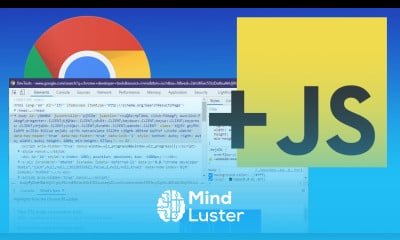
Disable JavaScript using chrome developer course, in this course we will explore how to disable JavaScript in Chrome Developer Tools for testing and debugging web applications. JavaScript is a critical part of most modern websites, but there are times when turning it off can help developers identify issues, improve website performance, or troubleshoot elements that rely on it. The course covers step-by-step guidance on how to access Chrome's Developer Tools, navigate through settings, and temporarily disable JavaScript for specific web pages. Additionally, we will explore how to test website behavior without JavaScript and analyze how various web elements function when the script is turned off. This course is perfect for developers seeking to understand the impact of JavaScript and optimize their web applications by disabling or enabling it as needed. You’ll gain hands-on experience and practical tips for more effective web debugging and testing techniques.