


Ben Johnny
i was learned a lot
 (1 review)
 25 Lessons
 217 Students
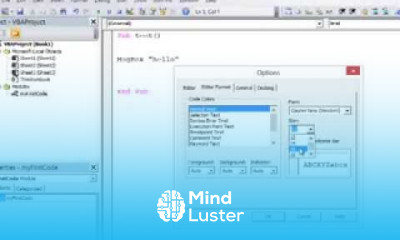
Programming with VBA, in this course you'll learn the fundamentals of programming with VBA (Visual Basic for Applications), empowering you to automate tasks, enhance productivity, and create custom solutions within Microsoft Office applications. Starting with VBA basics, you'll explore topics like creating and editing macros, working with objects, writing custom functions, and handling errors. The course dives into advanced features such as user forms, event-driven programming, and data manipulation for real-world scenarios. With practical exercises, you'll gain hands-on experience automating Excel, Word, and Access tasks, streamlining workflows, and designing efficient solutions. Perfect for beginners and professionals, this course equips you with the skills to master VBA programming, making your work smarter and more efficient.
 To Register in Course you have to watch at least 30 Second of any lesson
 Write and edit macros to automate repetitive tasks in Microsoft Office applications VBA, Excel, Word, and Access
Create custom functions and handle errors to improve automation reliability and efficiency in VBA programming
Design and implement user forms and event-driven programming for interactive Office solutions
Manipulate data and objects within Excel, Word, and Access to streamline workflows and enhance productivity
Apply VBA debugging and troubleshooting techniques to resolve programming issues effectively
Develop practical VBA scripts for real-world scenarios to automate complex Office tasks and data management
Utilize VBA to create customized reports, dashboards, and data analysis tools within Office applications
Implement best practices for VBA coding, including modular programming and code optimization techniques
Integrate VBA with other Office applications to develop comprehensive automation solutions
Enhance Office productivity by designing user-friendly interfaces and automating routine business processes
25 Lessons • 2 h 1 m total
 You must have an
Account
on the platform.
Complete all lessons.
Watch at least 50% of Lesson Duration.
Get your Certificate free 🎉 !
5.0
(1 review)
Overall rating

Be the First One Review This Course
i was learned a lot
It is ok for beginneriner.
nice
Programming with VBA for beginners Certificate
quite helpful and interesting
good

It is really good

..

Programming with VBA, in this course you'll learn the fundamentals of programming with VBA (Visual Basic for Applications), empowering you to automate tasks, enhance productivity, and create custom solutions within Microsoft Office applications. Starting with VBA basics, you'll explore topics like creating and editing macros, working with objects, writing custom functions, and handling errors. The course dives into advanced features such as user forms, event-driven programming, and data manipulation for real-world scenarios. With practical exercises, you'll gain hands-on experience automating Excel, Word, and Access tasks, streamlining workflows, and designing efficient solutions. Perfect for beginners and professionals, this course equips you with the skills to master VBA programming, making your work smarter and more efficient.
Experience the full power of Mindluster with Premium.
No distractions, just pure education.
Cancel your subscription anytime


















