

Mutawakkil Noralhadi
very helpful
 (50 reviews)
 15 Lessons
 231 Students
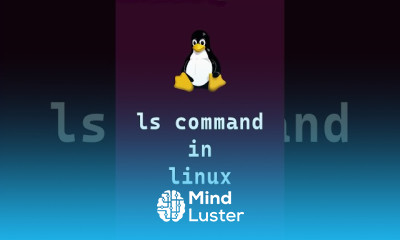
Linux command line essentials, in this course we will learn about the Linux command line essentials, a fundamental skill for anyone working with Linux systems. The course begins with basic navigation commands like ls, cd, and pwd, helping you explore the file system efficiently. You'll master file and directory management, including creating, copying, moving, and deleting files using commands like cp, mv, rm, and mkdir. Learn to manage file permissions with chmod and chown and explore process management with ps and kill. Additionally, the course introduces text manipulation tools like cat, grep, and sed, along with basic networking commands like ping and ifconfig. By the end, you'll confidently use the Linux CLI to automate tasks, manage files, and troubleshoot effectively, setting a strong foundation for advanced Linux skills. TutorialsPoint
 To Register in Course you have to watch at least 30 Second of any lesson
 Master Linux command line navigation using ls, cd, and pwd for efficient file system exploration
Manage files and directories with cp, mv, rm, and mkdir for effective file organization and manipulation
Configure and modify file permissions and ownership using chmod and chown for secure system management
Monitor and control processes with ps and kill commands for effective system troubleshooting
Utilize text processing tools like cat, grep, and sed for data analysis and stream editing
Execute basic networking commands such as ping and ifconfig for network troubleshooting and diagnostics
Automate routine tasks using Linux command line scripting and command chaining techniques
Troubleshoot Linux systems effectively by combining command line skills for system administration
15 Lessons • 9 m total
 You must have an
Account
on the platform.
Complete all lessons.
Watch at least 50% of Lesson Duration.
Get your Certificate free 🎉 !
4.4
(50 reviews)
Overall rating

Be the First One Review This Course
very helpful

Good

This Course is very helpfull

I am so interested to begin this course i would like increase my knowledge and gain excellent certificates
Nice

v
Great

,m,mn

Good
amazing course

The course was short, clear, and effective. It helped me understand the basics of Linux commands and how to work in the terminal. Great for beginners!

great learning

Linux command line essentials, in this course we will learn about the Linux command line essentials, a fundamental skill for anyone working with Linux systems. The course begins with basic navigation commands like ls, cd, and pwd, helping you explore the file system efficiently. You'll master file and directory management, including creating, copying, moving, and deleting files using commands like cp, mv, rm, and mkdir. Learn to manage file permissions with chmod and chown and explore process management with ps and kill. Additionally, the course introduces text manipulation tools like cat, grep, and sed, along with basic networking commands like ping and ifconfig. By the end, you'll confidently use the Linux CLI to automate tasks, manage files, and troubleshoot effectively, setting a strong foundation for advanced Linux skills. TutorialsPoint
Experience the full power of Mindluster with Premium.
No distractions, just pure education.
Cancel your subscription anytime