

Rosman Raini
i'm in love this course
 (60 reviews)
 6 Lessons
 2.8K Students
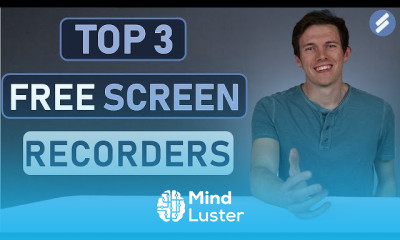
Free video editing software, in this course you’ll learn how to edit professional-quality videos using free video editing software without needing expensive tools. We’ll cover the best free editing programs, how to install and navigate their interfaces, and essential editing techniques such as cutting, trimming, adding effects, transitions, text overlays, and background music. You’ll also discover advanced features like color correction, green screen effects, and motion tracking to enhance your videos. Whether you're creating content for YouTube, social media, or personal projects, this course will help you develop the skills to edit, export, and optimize videos for different platforms using free tools. Santrel Media
 To Register in Course you have to watch at least 30 Second of any lesson
 Master free video editing software to create professional-quality videos for YouTube, social media, and personal projects using accessible tools
Apply essential editing techniques such as cutting, trimming, adding effects, and transitions to produce engaging videos for various platforms
Utilize text overlays, background music, and sound editing features to enhance video storytelling and viewer engagement
Implement advanced editing skills like color correction, green screen effects, and motion tracking to elevate video production quality
Navigate and customize user interfaces of popular free video editing programs for efficient workflow and project management
Export and optimize videos for different platforms, ensuring compatibility, quality, and performance in final outputs
6 Lessons • 1 h 2 m total
You must have an
Account
on the platform.
Complete all lessons.
Watch at least 50% of Lesson Duration.
Get your Certificate free 🎉 !
4.3
(60 reviews)
Overall rating

Be the First One Review This Course
i'm in love this course

Dharmik Kutana

1
Love

Cool

GOOD

amazing site i love it

nice keeps it up

very good

Good

Good

Good

Free video editing software, in this course you’ll learn how to edit professional-quality videos using free video editing software without needing expensive tools. We’ll cover the best free editing programs, how to install and navigate their interfaces, and essential editing techniques such as cutting, trimming, adding effects, transitions, text overlays, and background music. You’ll also discover advanced features like color correction, green screen effects, and motion tracking to enhance your videos. Whether you're creating content for YouTube, social media, or personal projects, this course will help you develop the skills to edit, export, and optimize videos for different platforms using free tools. Santrel Media
Experience the full power of Mindluster with Premium.
No distractions, just pure education.
Cancel your subscription anytime