


NG CAU WEI
good
 (7 reviews)
 18 Lessons
 555 Students
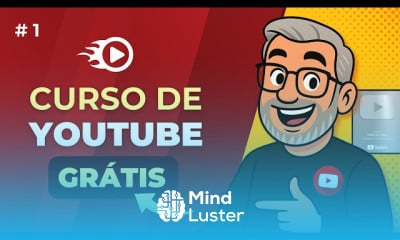
Create a YouTube account, in this course you’ll learn how to create and set up a YouTube account step by step. We’ll guide you through signing up on YouTube, choosing the right channel name, and customizing your profile with a professional picture and banner. You’ll explore essential channel settings, privacy options, and branding tips to optimize your presence. Additionally, we’ll cover how to upload your first video, manage playlists, and use YouTube Studio for analytics and monetization. Whether you’re a beginner or aspiring content creator, this course will help you launch a successful YouTube channel and start sharing engaging content with your audience. Santrel Media
 To Register in Course you have to watch at least 30 Second of any lesson
 Create a YouTube account on your phone, mastering sign-up, profile customization, and privacy settings for a professional channel
Optimize your YouTube channel with effective branding, including channel name, profile picture, and banner design strategies
Navigate YouTube Studio to upload videos, manage playlists, and analyze channel performance for growth and engagement
Implement monetization options and understand essential YouTube settings to maximize revenue and audience reach
Set up privacy controls and security features to protect your YouTube account and maintain content integrity
Apply best practices for creating engaging video content and optimizing titles, descriptions, and tags for discoverability
Utilize YouTube analytics to track viewer behavior, improve content strategy, and increase subscriber engagement
Launch and grow a successful YouTube channel by leveraging platform tools, branding, and content management techniques
18 Lessons • 2 h 12 m total
 You must have an
Account
on the platform.
Complete all lessons.
Watch at least 50% of Lesson Duration.
Get your Certificate free 🎉 !
4.3
(7 reviews)
Overall rating

Be the First One Review This Course
good

Nice

Excelent

Give me certificate

Nice

excellent

good
G00d

Create a YouTube account, in this course you’ll learn how to create and set up a YouTube account step by step. We’ll guide you through signing up on YouTube, choosing the right channel name, and customizing your profile with a professional picture and banner. You’ll explore essential channel settings, privacy options, and branding tips to optimize your presence. Additionally, we’ll cover how to upload your first video, manage playlists, and use YouTube Studio for analytics and monetization. Whether you’re a beginner or aspiring content creator, this course will help you launch a successful YouTube channel and start sharing engaging content with your audience. Santrel Media
Experience the full power of Mindluster with Premium.
No distractions, just pure education.
Cancel your subscription anytime