



Kamogelo Tebogo Joe-Jnr Mohale
It Was Great I Learned So Much Thank You Very Much For This Opportunity!!!
 (2 reviews)
 5 Lessons
 330 Students
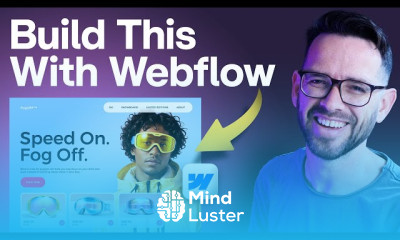
Webflow, in this course we will learn about Webflow, a powerful no-code platform for building responsive websites without coding. You’ll explore Webflow’s interface, layout structure, and design tools to create stunning web pages. We will cover essential topics like working with the Designer, CMS, animations, and interactions to enhance user experience. Learn how to build dynamic, mobile-friendly websites, customize elements with CSS-like controls, and optimize for SEO. This course also covers Webflow’s hosting and publishing features, allowing you to deploy professional sites effortlessly. Whether you’re a beginner or transitioning from another platform, this course provides hands-on projects to develop your skills. By the end, you will be able to create, customize, and manage websites efficiently using Webflow. Join us and start mastering Webflow today. Envato Tuts
 To Register in Course you have to watch at least 30 Second of any lesson
 Create responsive websites using Webflow’s visual interface and layout tools effectively
Design engaging web pages with animations, interactions, and dynamic content for improved user experience
Customize website elements with CSS-like controls to match branding and aesthetic goals
Publish and optimize websites for SEO, mobile responsiveness, and fast loading using Webflow’s hosting features
5 Lessons • 16 h 2 m total
You must have an
Account
on the platform.
Complete all lessons.
Watch at least 50% of Lesson Duration.
Get your Certificate free 🎉 !
5.0
(2 reviews)
Overall rating

Be the First One Review This Course
It Was Great I Learned So Much Thank You Very Much For This Opportunity!!!

good
Very nice

Webflow, in this course we will learn about Webflow, a powerful no-code platform for building responsive websites without coding. You’ll explore Webflow’s interface, layout structure, and design tools to create stunning web pages. We will cover essential topics like working with the Designer, CMS, animations, and interactions to enhance user experience. Learn how to build dynamic, mobile-friendly websites, customize elements with CSS-like controls, and optimize for SEO. This course also covers Webflow’s hosting and publishing features, allowing you to deploy professional sites effortlessly. Whether you’re a beginner or transitioning from another platform, this course provides hands-on projects to develop your skills. By the end, you will be able to create, customize, and manage websites efficiently using Webflow. Join us and start mastering Webflow today. Envato Tuts
Experience the full power of Mindluster with Premium.
No distractions, just pure education.
Cancel your subscription anytime