


Shaikh Heena
This is very good
 (169 reviews)
 32 Lessons
 956 Students
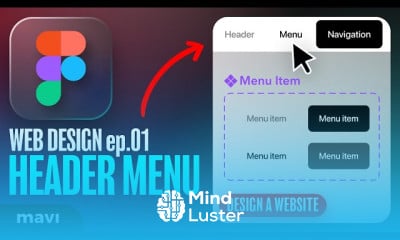
Figma web design, in this course we will learn how to design stunning, user-friendly websites using Figma. From wireframes to high-fidelity mockups, you'll discover how to bring web ideas to life with modern layout techniques, consistent design systems, and interactive prototypes. We’ll cover essential web UI principles including spacing, grid systems, color palettes, and typography. You’ll also learn how to build responsive designs that adapt seamlessly across devices, and how to use auto layout, components, and variants to streamline your workflow. The course walks you through real-world projects such as landing pages, portfolios, and product pages. Whether you're a beginner or looking to polish your skills, this course will give you the confidence to design clean, professional web interfaces. By the end, you’ll be able to deliver complete web design projects that are ready for developer handoff or client presentation—all using Figma. Mavi Design
 To Register in Course you have to watch at least 30 Second of any lesson
 Create visually appealing website layouts using Figma's modern design tools and techniques
Develop responsive web designs that adapt seamlessly across desktop, tablet, and mobile devices
Implement consistent design systems with reusable components, auto layout, and variants in Figma
Design user-friendly interfaces with effective spacing, grid systems, color palettes, and typography principles
Build interactive prototypes to demonstrate website functionality and user experience flow
Apply wireframing skills to conceptualize website structure and user journey effectively
Prepare high-fidelity mockups suitable for client presentations and developer handoff
Utilize Figma collaboration features to streamline teamwork and feedback integration
Optimize web designs for accessibility, usability, and visual hierarchy in Figma
Translate web design concepts into real-world projects like landing pages, portfolios, and product pages
32 Lessons • 10 h 38 m total
 You must have an
Account
on the platform.
Complete all lessons.
Watch at least 50% of Lesson Duration.
Get your Certificate free 🎉 !
4.4
(169 reviews)
Overall rating

Be the First One Review This Course
This is very good

excellent

educational

Thankyou for the lesson!!

Good Learning
to goooooood

The course was very useful and easy to understand. Thank you for providing such a great learning experience.
Great I learnt a lot of things

easy explain

lopit

Great

THIS IS GRAPE

Figma web design, in this course we will learn how to design stunning, user-friendly websites using Figma. From wireframes to high-fidelity mockups, you'll discover how to bring web ideas to life with modern layout techniques, consistent design systems, and interactive prototypes. We’ll cover essential web UI principles including spacing, grid systems, color palettes, and typography. You’ll also learn how to build responsive designs that adapt seamlessly across devices, and how to use auto layout, components, and variants to streamline your workflow. The course walks you through real-world projects such as landing pages, portfolios, and product pages. Whether you're a beginner or looking to polish your skills, this course will give you the confidence to design clean, professional web interfaces. By the end, you’ll be able to deliver complete web design projects that are ready for developer handoff or client presentation—all using Figma. Mavi Design
Experience the full power of Mindluster with Premium.
No distractions, just pure education.
Cancel your subscription anytime