


Bhakti Jagtap
very good and usefull
 (6 reviews)
 94 Lessons
 329 Students
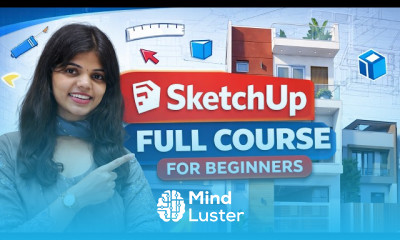
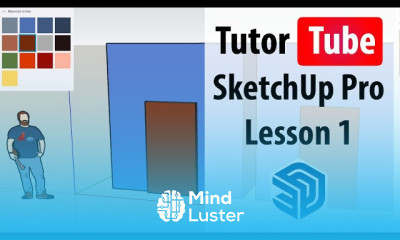
Unlock the fundamentals of engineering design with our comprehensive SketchUp Pro Design for Beginners online course. This training course provides aspiring engineers and design enthusiasts with the essential skills needed to create detailed 3D models and visualizations. Whether you are starting your career or looking to enhance your professional skills, this certified course offers practical knowledge that can significantly boost your career growth in the engineering field. Throughout this course, you will learn how to navigate SketchUp Pro’s interface, develop precise 3D models, and implement best practices for engineering visualization. The course covers foundational concepts such as drawing techniques, model organization, and rendering, empowering you to produce professional-quality designs. By the end of the training, you will have the confidence to apply your new skills to real-world engineering projects and presentations. This course is ideal for engineering students, entry-level professionals, or anyone interested in design and visualization within the engineering sector. No prior experience with SketchUp is required, making it accessible for beginners eager to develop their technical and creative abilities. Choosing this platform ensures you receive high-quality training delivered by industry experts, with flexible online learning tailored to fit your schedule. Our certified course guarantees that you gain recognized credentials to showcase your skills and increase your employability within the competitive Middle East and global engineering markets. Upon completion, you will be equipped with professional skills that open doors to diverse career opportunities in design, architecture, construction, and engineering consulting. Enhance your portfolio and stand out in the job market with a recognized certification that demonstrates your expertise in SketchUp Pro. Enroll today to start your journey towards mastering engineering design and accelerating your professional development in the dynamic Middle East engineering industry. TutorTube
 To Register in Course you have to watch at least 30 Second of any lesson
 Create detailed 3D models using SketchUp Pro interface and tools for engineering visualization
Apply best practices for organizing and managing complex SketchUp models in engineering projects
Implement rendering techniques to produce professional-quality visualizations for engineering presentations
Utilize SketchUp Pro features to enhance technical drawings and improve project communication
94 Lessons • 3 h 59 m total

 You must have an
Account
on the platform.
Complete all lessons.
Watch at least 50% of Lesson Duration.
Get your Certificate free 🎉 !
4.7
(6 reviews)
Overall rating

Be the First One Review This Course
very good and usefull

I have successfully completed the course, and having attended all 90+ sessions, I found the training exceptionally thorough and structured. I initially started as a self-taught beginner relying on YouTube and Telegram tutorials, but your detailed, micro-level breakdown of core tools and essential plugins offered insights I had not found on any public platform. It significantly streamlined my workflow. ✨ As an architecture and interior professional working on SketchUp Pro 2025, my humble suggest

OUTSTANDING

Instructif
amazing!

VERY GOOD

Good
very helpful
Good

Unlock the fundamentals of engineering design with our comprehensive SketchUp Pro Design for Beginners online course. This training course provides aspiring engineers and design enthusiasts with the essential skills needed to create detailed 3D models and visualizations. Whether you are starting your career or looking to enhance your professional skills, this certified course offers practical knowledge that can significantly boost your career growth in the engineering field. Throughout this course, you will learn how to navigate SketchUp Pro’s interface, develop precise 3D models, and implement best practices for engineering visualization. The course covers foundational concepts such as drawing techniques, model organization, and rendering, empowering you to produce professional-quality designs. By the end of the training, you will have the confidence to apply your new skills to real-world engineering projects and presentations. This course is ideal for engineering students, entry-level professionals, or anyone interested in design and visualization within the engineering sector. No prior experience with SketchUp is required, making it accessible for beginners eager to develop their technical and creative abilities. Choosing this platform ensures you receive high-quality training delivered by industry experts, with flexible online learning tailored to fit your schedule. Our certified course guarantees that you gain recognized credentials to showcase your skills and increase your employability within the competitive Middle East and global engineering markets. Upon completion, you will be equipped with professional skills that open doors to diverse career opportunities in design, architecture, construction, and engineering consulting. Enhance your portfolio and stand out in the job market with a recognized certification that demonstrates your expertise in SketchUp Pro. Enroll today to start your journey towards mastering engineering design and accelerating your professional development in the dynamic Middle East engineering industry. TutorTube
Experience the full power of Mindluster with Premium.
No distractions, just pure education.
Cancel your subscription anytime