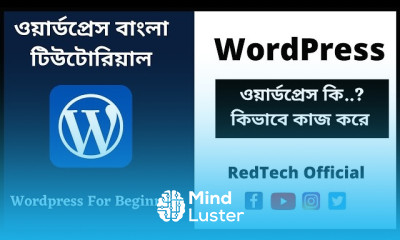
নতুনদের জন্য wordPress dashboard Course

 (99 reviews)
Redoan Kawsar
-
 43 Lessons
-
 6 Students
- Certificate of completion


WordPress ড্যাশবোর্ড কোর্সটি নতুনদের জন্য একটি সহজ ও ব্যবহারিক কোর্স, যেখানে আপনি WordPress সাইট পরিচালনার মূল ভিত্তি শিখবেন। এই কোর্সে ড্যাশবোর্ডের বিভিন্ন অপশন, পোস্ট ও পেজ তৈরি, ক্যাটাগরি ও ট্যাগ ব্যবহার, মিডিয়া আপলোড, মেনু সেটআপ, থিম কাস্টমাইজেশন, প্লাগইন ইনস্টল এবং ইউজার ম্যানেজমেন্ট সম্পর্কে ধাপে ধাপে শেখানো হবে। এছাড়াও আপনি শিখবেন কীভাবে ওয়েবসাইটের সেটিংস ঠিক করতে হয়, কনটেন্ট সাজাতে হয় এবং একটি প্রফেশনাল WordPress সাইট সহজভাবে পরিচালনা করতে হয়। কোর্স শেষে শিক্ষার্থী WordPress ড্যাশবোর্ড আত্মবিশ্বাসের সঙ্গে ব্যবহার করতে পারবে, নিজের ওয়েবসাইট আপডেট করতে পারবে এবং মৌলিক ওয়েবসাইট ম্যানেজমেন্ট দক্ষতা অর্জন করবে। এই কোর্সটি সম্পূর্ণ বিনামূল্যে এবং কোর্স শেষে রয়েছে স্বীকৃত সার্টিফিকেট। Redoan Kawsar
 To Register in Course you have to watch at least 30 Second of any lesson
What You'll Learn
-
 Learn how to navigate and customize the WordPress dashboard effectively for website management
-
Create and publish engaging posts and pages using WordPress editor tools and media uploads
-
Organize content with categories and tags to improve website SEO and user experience
-
Install, activate, and configure essential plugins to enhance website functionality
-
Set up and customize WordPress themes for a professional and personalized website appearance
-
Manage users and permissions to control website access and collaboration
-
Configure website settings for optimal performance, security, and SEO optimization
-
Create and manage navigation menus for easy website navigation and user engagement
-
Upload and manage media files to enrich website content and visual appeal
-
Implement basic troubleshooting and security measures to protect the WordPress site
-
Update and maintain website content regularly to ensure relevance and freshness
-
Apply practical skills to manage a professional WordPress website confidently and efficiently
Course Content
43 Lessons • 5 h 58 m total

1 What Is WordPress Explained for Beginners Wordpress Bangla Tutorial
2 Basic Idea About How to Start a WordPress Blog WordPress Tutorial for Beginners
3 How to install SSL For Any Domain Name in Namecheap WordPress Tutorial for Beginners
4 How to Install WordPress In Cpanel Install WordPress WordPress Bangla Tutorial
5 ওয়ার্ডপ্রেস ড্যাশবোর্ড সম্পর্কে ধারনা । WordPress Dashboard For Beginners WordPress Bangla
6 2 Essential Settings After Installing WordPress WordPress Bangla Tutorial
7 How to Create Pages For WordPress Website কিভাবে ওয়ার্ডপ্রেস ওয়েবসাইট পেজ তৈরি করবেন
8 কিভাবে পেজগুলোকে মেনু সেকশনে এড করবেন । How to Add Pages to Your Site Menu
9 কিভাবে সাব পেজ তৈরী করবেন How to Create a SubPage Child Page in WordPress
10 ওয়ার্ডপ্রেস পেজে কমেন্ট অপশন । How to Enable and Disable Comment in WordPress Pages
11 কিভাবে নতুন পোস্ট করবেন ওয়ার্ডপ্রেস ব্লগ How To Add a New Post in WordPress
12 কিভাবে পোস্ট ক্যাটাগরি তৈরী করবেন How To Create Post Categories in WordPress
13 কিভাবে প্রতি পেজে পোস্ট লিমিট সেট করবেন How to Set The Number of Posts Per Page in WordPress
14 কিভাবে আর্টিকেল এর সামারি সেট করে দিবেন How to Customize WordPress Post Excerpts
15 How to Set Home Page as Front Page in WordPress কোনো পেজকে Home Page হিসেবে কিভাবে সেট করবেন
16 ব্লগ পোস্টের জন্য আলাদা পেইজ How to Create a Separate Page For Blog Posts in WordPress
17 How to Approved and Delete Comment In WordPress WordPress Bangla Tutorial
18 কাস্টম লিংক ওয়াডপ্রেস মেনু তে কিভাবে এড করবেন How To Add Custom Links To Your WordPress Menu
19 ক্যালেন্ডার উইজেট ব্যবহার । How to use Calendar Widget in WordPress Sidebar
20 ক্যাটাগরি Widget কিভাবে ওয়েবসাইট ব্যবহার করবেন । How To Use Category Widget In WordPress Sidebar
22 How to Change The Logo Site Title in WordPress WordPress Bangla Tutorial
23 ওয়ার্ডপ্রেস ফুটারে উইজেট ব্যবহার শিখুন How to Add Widgets to WordPress Theme Footer
24 How to Display an RSS feed in WordPress RSS Widget How To Add RSS Feeds In The Sidebar
25 How to add Visitor Counter in WordPress Best WordPress Visitor Counter Plugins 2021
How to Create a Beautiful image Gallery In WordPress Add image gallery in WordPress 26
How to Easily Create Responsive WordPress Image Galleries Best Responsive Photo Gallery 27
পোস্ট সিডিউল কিভাবে সেট করবেন How To Schedule WordPress Post Publishing Step by Step Guide 28
How to Organize Your WordPress Media Files Best Media Library Management Plugins 29
How to Password Protect a WordPress post and Page Password Protect WordPress Post 30
How to Duplicate or Clone a Page or Post in WordPress WordPress Bangla Tutorial 31
How to Display Recent Tweets in WordPress with Twitter Widgets Learn WordPress Bangla 32
How to Find Royalty Free Images for Your WordPress Blog Posts 33
How to Add No Follow Links in WordPress Navigation Menus WordPress Bangla Tutorial 34
How to Disable Gutenberg and Keep the Classic Editor Change WordPress Editor WordPress Bangla 35
How to Add the New Facebook Page Plugin in WordPress ফেসবুক পেজ প্লাগিন ওয়ার্ডপ্রেস ব্লগে
How to Easily Create a Responsive WordPress Slider Smart Slider 3 Plugin Responsive Slider
How to Remove the Sidebar on WordPress Hide or Remove Sidebar From Any Page WordPress Tutorial
How to Create a Contact Form in WordPress Contact Form WordPress Tutorial For Beginners
How to Create a Table of Content in WordPress Easy Table of Contents
How to Add Quiz For WordPress Contact Form Page WordPress Tutorial for Beginners

How to Get The Certificate
-
You must have an
Account
on the platform.
-
Complete all lessons.
-
Watch at least 50% of Lesson Duration.
-
Get your Certificate free 🎉 !
4.7
(99 reviews)
Overall rating

Reviews
Be the First One Review This Course
Related Courses
View All






নতুনদের জন্য wordPress dashboard Course Description
WordPress ড্যাশবোর্ড কোর্সটি নতুনদের জন্য একটি সহজ ও ব্যবহারিক কোর্স, যেখানে আপনি WordPress সাইট পরিচালনার মূল ভিত্তি শিখবেন। এই কোর্সে ড্যাশবোর্ডের বিভিন্ন অপশন, পোস্ট ও পেজ তৈরি, ক্যাটাগরি ও ট্যাগ ব্যবহার, মিডিয়া আপলোড, মেনু সেটআপ, থিম কাস্টমাইজেশন, প্লাগইন ইনস্টল এবং ইউজার ম্যানেজমেন্ট সম্পর্কে ধাপে ধাপে শেখানো হবে। এছাড়াও আপনি শিখবেন কীভাবে ওয়েবসাইটের সেটিংস ঠিক করতে হয়, কনটেন্ট সাজাতে হয় এবং একটি প্রফেশনাল WordPress সাইট সহজভাবে পরিচালনা করতে হয়। কোর্স শেষে শিক্ষার্থী WordPress ড্যাশবোর্ড আত্মবিশ্বাসের সঙ্গে ব্যবহার করতে পারবে, নিজের ওয়েবসাইট আপডেট করতে পারবে এবং মৌলিক ওয়েবসাইট ম্যানেজমেন্ট দক্ষতা অর্জন করবে। এই কোর্সটি সম্পূর্ণ বিনামূল্যে এবং কোর্স শেষে রয়েছে স্বীকৃত সার্টিফিকেট। Redoan Kawsar
Focus on Learning, Not Ads
Experience the full power of Mindluster with Premium.
No distractions, just pure education.
Cancel your subscription anytime
