
 13 Lessons
 94 Students



Nikhitha gomasi
Good
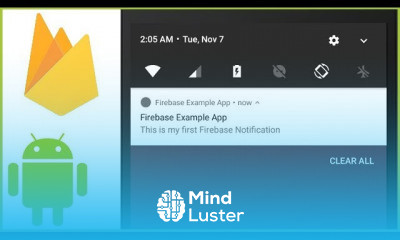
How do I use notifications on Android? Set Android Notification Properties setSmallIcon(): It sets the icon of notification. setContentTitle(): It is used to set the title of notification. setContentText(): It is used to set the text message. setAutoCancel(): It sets the cancelable property of notification.How do I get heads up notifications on Android? You also need to set the App notification setting in "Settings" to Urgent. A Heads up notification will not show up unless the User sets the App to urgent. Heads up notifications works if you create Notification Channel and do something like this. You are setting the wrong channel ID.How do I use custom notification sounds on Android? 1 Head into your Settings > Apps. 2 Tap on an app you would like to customise the Notification tone. 3 Tap on Notifications. 4 Select a category you would like to customise. 5 Ensure that you have selected Alert then tap on Sound. 6 Tap on a sound then press the back button to apply changes.How do I customize my notification bar? How to Customize the Status Bar on Android (Without Rooting) Step One: Install Material Status Bar and Grant It Permissions. Download and install the app from the Play Store, find it in your app drawer and open it. ... Step Two: Customize the Status Bar. The main menu of the app has a few options, so let's run through them. ... Step Three: Get Rid of Ads with the Paid Version (Optional).What is a push notification android? A push notification is a message that pops up on a mobile device. App publishers can send them at any time; users don't have to be in the app or using their devices to receive them. ... Each mobile platform has support for push notifications — iOS, Android, Fire OS, Windows and BlackBerry all have their own services.
 To Register in Course you have to watch at least 30 Second of any lesson
 Create Android notifications with customizable icons, titles, and messages for effective user engagement
Implement notification properties such as auto-cancel and priority to enhance user experience on Android devices
Configure notification channels to enable heads-up notifications and ensure proper visibility for urgent alerts
Set custom notification sounds and tones to improve alert recognition and user personalization on Android
Design and customize the Android notification bar for a tailored user interface without rooting devices
Develop push notifications that deliver timely messages, increasing app retention and user interaction
Manage notification settings within Android apps to control alert types, sounds, and visibility options
Troubleshoot common issues related to notification channels, sounds, and display to ensure reliable notification delivery
13 Lessons • 2 h 21 m total
 You must have an
Account
on the platform.
Complete all lessons.
Watch at least 50% of Lesson Duration.
Get your Certificate free 🎉 !
4.6
 (26 reviews)
Overall rating

Be the First One Review This Course
Good
GOOD

i love you

How do I use notifications on Android? Set Android Notification Properties setSmallIcon(): It sets the icon of notification. setContentTitle(): It is used to set the title of notification. setContentText(): It is used to set the text message. setAutoCancel(): It sets the cancelable property of notification.How do I get heads up notifications on Android? You also need to set the App notification setting in "Settings" to Urgent. A Heads up notification will not show up unless the User sets the App to urgent. Heads up notifications works if you create Notification Channel and do something like this. You are setting the wrong channel ID.How do I use custom notification sounds on Android? 1 Head into your Settings > Apps. 2 Tap on an app you would like to customise the Notification tone. 3 Tap on Notifications. 4 Select a category you would like to customise. 5 Ensure that you have selected Alert then tap on Sound. 6 Tap on a sound then press the back button to apply changes.How do I customize my notification bar? How to Customize the Status Bar on Android (Without Rooting) Step One: Install Material Status Bar and Grant It Permissions. Download and install the app from the Play Store, find it in your app drawer and open it. ... Step Two: Customize the Status Bar. The main menu of the app has a few options, so let's run through them. ... Step Three: Get Rid of Ads with the Paid Version (Optional).What is a push notification android? A push notification is a message that pops up on a mobile device. App publishers can send them at any time; users don't have to be in the app or using their devices to receive them. ... Each mobile platform has support for push notifications — iOS, Android, Fire OS, Windows and BlackBerry all have their own services.
Experience the full power of Mindluster with Premium.
No distractions, just pure education.
Cancel your subscription anytime