
 12 Lessons
 1.4K Students





Mohammad Anas
Good
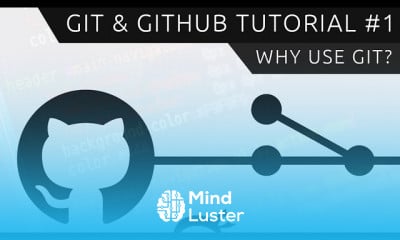
GitHub is a code hosting platform for version control and collaboration. It lets you and others work together on projects from anywhere. This tutorial teaches you GitHub essentials like repositories, branches, commits, and Pull Requests.what's the difference? Simply put, Git is a version control system that lets you manage and keep track of your source code history. GitHub is a cloud-based hosting service that lets you manage Git repositories. If you have open-source projects that use Git, then GitHub is designed to help you better manage them.GitHub offers its basic services free of charge. ... Free GitHub accounts are commonly used to host open-source projects. As of January 2019, GitHub offers unlimited private repositories to all plans, including free accounts, but allowed only up to three collaborators per repository for free.For most beginners, Github may simply be a platform to upload code, but its simply much more than that. It can easily be used as a collaboration platform among coders, and can be used to build complex systems. For a beginner, its recommended to start learning the programming syntax first.Reason #1: Immensely Powerful Community. GitHub is an open-source platform, and the community is really what fuels it. There are millions of programmers and hobbyists that download, review, and evaluate each other's work. Moreover, GitHub is the platform of choice for developers from various large corporations,
 To Register in Course you have to watch at least 30 Second of any lesson
 Master version control with Git to track code changes and manage source code history effectively
Utilize GitHub repositories to host, organize, and share code projects for collaboration and open-source development
Create and manage branches in GitHub to develop features, fix bugs, and streamline project workflows
Implement commits and pull requests to review, merge, and maintain code quality in collaborative environments
Navigate GitHub's interface and tools to facilitate seamless team collaboration and project management
Leverage GitHub's community features to contribute to open-source projects and engage with developers worldwide
Apply best practices for managing private and public repositories to enhance project security and visibility
Integrate GitHub with development tools and workflows to automate tasks and improve productivity
12 Lessons • 1 h 39 m total
 You must have an
Account
on the platform.
Complete all lessons.
Watch at least 50% of Lesson Duration.
Get your Certificate free 🎉 !
4.6
 (324 reviews)
Overall rating

Be the First One Review This Course
Good

best learning platform for begginers student which learnig any cousre ,all available for contents

The Git and GitHub course was very useful and easy to understand. I learned the basics of Git, repositories, commits, branches, GitHub, and collaboration. The course was helpful for beginners and improved my understanding of version control. Thank you for providing this learning opportunity.

Excellent

it is really helpful for beginners
very interesting

Good one...

Good

Excellent

this course was insightful. lot of practicals

Is was good learning experience from this platform

it's so cool and i feel it

GitHub is a code hosting platform for version control and collaboration. It lets you and others work together on projects from anywhere. This tutorial teaches you GitHub essentials like repositories, branches, commits, and Pull Requests.what's the difference? Simply put, Git is a version control system that lets you manage and keep track of your source code history. GitHub is a cloud-based hosting service that lets you manage Git repositories. If you have open-source projects that use Git, then GitHub is designed to help you better manage them.GitHub offers its basic services free of charge. ... Free GitHub accounts are commonly used to host open-source projects. As of January 2019, GitHub offers unlimited private repositories to all plans, including free accounts, but allowed only up to three collaborators per repository for free.For most beginners, Github may simply be a platform to upload code, but its simply much more than that. It can easily be used as a collaboration platform among coders, and can be used to build complex systems. For a beginner, its recommended to start learning the programming syntax first.Reason #1: Immensely Powerful Community. GitHub is an open-source platform, and the community is really what fuels it. There are millions of programmers and hobbyists that download, review, and evaluate each other's work. Moreover, GitHub is the platform of choice for developers from various large corporations,
Experience the full power of Mindluster with Premium.
No distractions, just pure education.
Cancel your subscription anytime