HTML CSS JavaScript Bootstrap Course

4.8 (8 reviews)
  • 64 Lessons
  • 87 Students
  • Certificate of completion

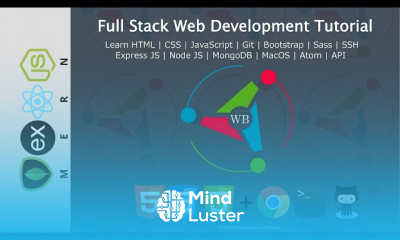
Bootstrap includes HTML and CSS based design templates for typography, forms, buttons, tables, navigation, modals, image carousels and many other, as well as optional JavaScript plugins. Bootstrap also gives you the ability to easily create responsive designs.

To Register in Course you have to watch at least 30 Second of any lesson

What You'll Learn

  • Create responsive web pages using HTML, CSS, and Bootstrap frameworks for modern design and user experience
  • Implement interactive features with JavaScript and Bootstrap plugins for dynamic website functionality
  • Design and customize Bootstrap components like navigation, modals, and carousels for professional websites
  • Utilize HTML and CSS to build accessible, semantic, and SEO-friendly web layouts
  • Apply Bootstrap grid system and responsive utilities to ensure mobile-friendly website design
  • Enhance website aesthetics with Bootstrap typography, forms, buttons, and tables for better user engagement
  • Integrate JavaScript to add interactivity and improve website performance and usability
  • Troubleshoot common issues in HTML, CSS, JavaScript, and Bootstrap for seamless website development
  • Optimize website responsiveness and performance across various devices and screen sizes
  • Develop custom Bootstrap themes and styles to match branding and project requirements
  • Implement best practices for web accessibility and usability in Bootstrap-based projects
  • Use Bootstrap’s JavaScript plugins to add modals, carousels, and dropdowns for dynamic content display
  • Combine HTML, CSS, JavaScript, and Bootstrap to create complete, professional-grade websites
  • Leverage Bootstrap documentation and community resources for ongoing learning and project support

Course Content

64 Lessons • 14 h 8 m total

Introduction to Web Development | Full Stack Web Development Tutorial 2022

7:59

3 Building Your First Website | Learn HTML | Full stack web development Tutorial Course 2022

12:49

4 Intro to HTML HEAD BODY and HEADER | Full stack web development Tutorial Course 2022

10:34

5 Lists Paragraphs and Text Styling Full stack web development Tutorial Course

8:00

6 Displaying Data With Table Full stack web development Tutorial Course

7:39

7 Learn HTML Forms Img and Iframe Tags Full stack web development Tutorial Course

12:22

8 What is CSS Full stack web development Tutorial Course

3:23

9 How to use Inline Internal and External CSS Full stack web development Tutorial Course

8:58

10 Element ID and Class Selectors Full stack web development Tutorial Course

10:37

11 CSS Colors and Shadows Full stack web development Tutorial Course

14:19

12 CSS Backgrounds And Borders Full stack web development Tutorial Course

10:35

13 Using browser inspector tools Full stack web development Tutorial Course

13:32

14 Combinators in CSS Full stack web development Tutorial Course

5:33

15 Grouping in CSS Full stack web development Tutorial Course

5:33

16 Specificity in CSS Full stack web development Tutorial Course

15:17

17 Text Styling And Formatting Full stack web development Tutorial Course

20:15

18 Google Fonts API Full stack web development Tutorial Course

8:17

19 Responsive CSS Images Full stack web development Tutorial Course

9:50

20 CSS Padding And Margin Full stack web development Tutorial Course

9:43

21 CSS Rows And Columns Full stack web development Tutorial Course

13:07

22 Intro to building your first CSS for website Full stack web development Tutorial Course

1:16

23 Building the Navbar Full stack web development Tutorial Course

22:49

24 Making the Navbar Mobile Responsive Part 1 Full stack web development Tutorial Course

11:01

25 Making the Navbar Mobile Responsive Part 2 Full stack web development Tutorial Course

23:45

26 Creating the Form Group Full stack web development Tutorial Course

30:48

27 Working with CSS iframes Full stack web development Tutorial Course

22:18

28 Working with CSS images and box shadows Full stack web development Tutorial Course

42:36

29 Working with text and image spacing Full stack web development Tutorial Course

28:27

30 Building the footer using CSS Full stack web development Tutorial Course

18:02

31 Introduction to JavaScript Tutorial For Beginners Full stack web development Tutorial Course

8:51

32 Javascript Quick References for faster learning Full stack web development Course

4:22

33 Javascript Comments And How to Link Scripts Full stack web development Course

7:45

34 Javascript Variables And Strings Full stack web development Course

12:58

35 Javascript Numbers and Operators Full stack web development Course

8:04

36 Javascript comparison operators and conditional operators Full stack web development Course

15:41

37 Javascript Logical Operators Full stack web development Course

15:20

38 Javascript Arrays Full stack web development Course

16:18

39 Javascript Loops for while do while Full stack web development Course

14:23

40 Javascript Functions and methods Full stack web development Course

22:20

41 Javascript Objects Full stack web development Course

27:06

How to Get The Certificate

  • You must have an Account on the platform.
  • Complete all lessons.
  • Watch at least 50% of Lesson Duration.
  • Get your Certificate free 🎉 !

Certificate Example

Mind Luster Certificate Template

4.8 (8 reviews)

Overall rating

  • 5.0 75%
  • 4.0 25%
  • 3.0 0%
  • 2.0 0%
  • 1.0 0%

Reviews

SM Faizi

· 9mos ago

Very helpful Course

wali m

· 9mos ago

great course i learn soo much

Habib Ur Rehman

· 1yr ago

it is much helpful

Priyanka Katiyar

· 1yr ago

This course was very helpful for me I want more courses like that.

Stephen Kankam

· 1yr ago

Very nice Course, I have learned a lot from this course and it has really built me up in my programming career.

Mahesh gp

· 2yrs ago

good

Maya Mohamed

· 2yrs ago

covered a lot of topics in a short time of period.

Pankaj Kaswan

· 3yrs ago

This course was very helpful for me, I really enjoyed it, thank you.

HTML CSS JavaScript Bootstrap Course Description

Bootstrap includes HTML and CSS based design templates for typography, forms, buttons, tables, navigation, modals, image carousels and many other, as well as optional JavaScript plugins. Bootstrap also gives you the ability to easily create responsive designs.

Focus on Learning, Not Ads

Experience the full power of Mindluster with Premium.
No distractions, just pure education.

Get Mindluster Premium

Cancel your subscription anytime

Course Intro