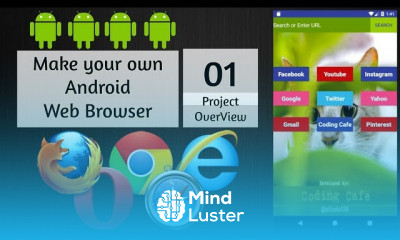
Web Browser in Android Studio Course

 (98 reviews)
-
 7 Lessons
-
 9 Students
- Certificate of completion


Tutorial for SiGMobile to create a functional Android browser with Javascript and HTML enabled. Open up Android Studio and create a new project. Create a .
 To Register in Course you have to watch at least 30 Second of any lesson
What You'll Learn
-
 Build a fully functional Android web browser using Android Studio with integrated JavaScript and HTML support
-
Implement custom web navigation features, including back, forward, and refresh functionalities in Android apps
-
Integrate JavaScript execution within Android WebView for dynamic content rendering and interactive web pages
-
Design user-friendly browser interfaces with customizable UI components in Android Studio projects
-
Optimize web browsing performance and security within Android applications using best practices
-
Debug and troubleshoot Android WebView issues to ensure seamless web content display and user experience
Course Content
7 Lessons • 1 h 47 m total

Android Web Browser App Tutorial 01 Android Studio Tutorial Make your own Android Web Browser
Android Web Browser App Tutorial 02 Android Studio Tutorial Web Browser in Android Studio
Android Studio Tutorial 03 Web Browser in Android Studio Android Studio Projects
Android Studio Tutorial 04 Web Browser in Android Studio Android Studio Projects
Web Browser in Android Studio Make your own Android Web Browser 05 Android Studio Projects
How to Get The Certificate
-
You must have an
Account
on the platform.
-
Complete all lessons.
-
Watch at least 50% of Lesson Duration.
-
Get your Certificate free 🎉 !
4.6
(98 reviews)
Overall rating

Reviews
Be the First One Review This Course
Related Courses
View All


















Web Browser in Android Studio Course Description
Tutorial for SiGMobile to create a functional Android browser with Javascript and HTML enabled. Open up Android Studio and create a new project. Create a .
Focus on Learning, Not Ads
Experience the full power of Mindluster with Premium.
No distractions, just pure education.
Get Mindluster Premium
Cancel your subscription anytime
