
 3 Lessons
 250 Students





NAIF
Great content
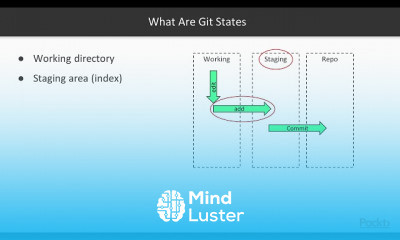
Version control, also known as source control, is the practice of tracking and managing changes to software code. Version control systems are software tools that help software teams manage changes to source code over time.Types of Version Control Systems: Local Version Control Systems. Centralized Version Control Systems. Distributed Version Control Systems.What is Version Control Example? Version control is a system that records changes to a file or set of files over time so that you can recall specific versions later. For the examples in this book, you will use software source code as the files being version controlled, though in reality you can do this with nearly any type of file on a computer.What is version control and why is it important? Why Is Version Control Important? Version control is important to keep track of changes — and keep every team member working off the latest version. You should use version control software for all code, files, and assets that multiple team members will collaborate on. ... Helps teams collaborate around the world.How does version control work? Version control uses a repository (a database of changes) and a working copy where you do your work. Your working copy (sometimes called a checkout) is your personal copy of all the files in the project. ... When you are happy with your edits, you commit your changes to a repository.
 To Register in Course you have to watch at least 30 Second of any lesson
 Master version control systems like Git, SVN, and Mercurial for effective source code management
Implement best practices for tracking, branching, and merging code changes in collaborative projects
Utilize version control workflows to enhance team collaboration and project efficiency
Troubleshoot common version control issues to maintain code integrity and project stability
3 Lessons • 1 h 28 m total
You must have an
Account
on the platform.
Complete all lessons.
Watch at least 50% of Lesson Duration.
Get your Certificate free 🎉 !
4.5
 (54 reviews)
Overall rating

Be the First One Review This Course
Great content

Great content
The course is excellen t and I am very happy with these Russians, they were very helpful
good course

good

Good info. should make shorter videos.
Nice to study this course and

NA

got to learn a lot
good
Good
it was good

Version control, also known as source control, is the practice of tracking and managing changes to software code. Version control systems are software tools that help software teams manage changes to source code over time.Types of Version Control Systems: Local Version Control Systems. Centralized Version Control Systems. Distributed Version Control Systems.What is Version Control Example? Version control is a system that records changes to a file or set of files over time so that you can recall specific versions later. For the examples in this book, you will use software source code as the files being version controlled, though in reality you can do this with nearly any type of file on a computer.What is version control and why is it important? Why Is Version Control Important? Version control is important to keep track of changes — and keep every team member working off the latest version. You should use version control software for all code, files, and assets that multiple team members will collaborate on. ... Helps teams collaborate around the world.How does version control work? Version control uses a repository (a database of changes) and a working copy where you do your work. Your working copy (sometimes called a checkout) is your personal copy of all the files in the project. ... When you are happy with your edits, you commit your changes to a repository.
Experience the full power of Mindluster with Premium.
No distractions, just pure education.
Cancel your subscription anytime
















