
 9 Lessons
 8 Students


TensorFlow works with Python 2.7 and Python 3.3+. You can follow the Download and Setup instructions on the TensorFlow website. Installation is probably simplest via PyPI and specific instructions of the pip command to use for your Linux or Mac OS X platform are on the Download and Setup webpage .
 To Register in Course you have to watch at least 30 Second of any lesson
What You'll Learn
-
 Develop Python scripts for machine learning and deep learning applications using TensorFlow libraries and APIs
-
Implement TensorFlow models for neural networks, image recognition, and natural language processing tasks
-
Optimize TensorFlow models for performance, scalability, and deployment in real-world AI projects
-
Utilize TensorFlow tools for data preprocessing, model training, and evaluation in Python environments
-
Troubleshoot common TensorFlow installation and configuration issues on Linux, Mac OS X, and Windows
-
Apply best practices for integrating TensorFlow with Python to build efficient AI and machine learning solutions
Course Content
9 Lessons • 2 h 16 m total

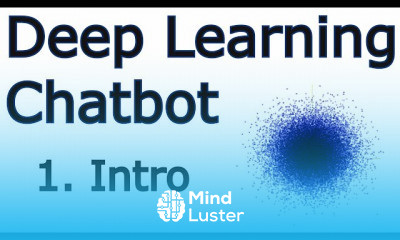
Creating a Chatbot with Deep Learning Python and TensorFlow p 1
Data Structure Creating a Chatbot with Deep Learning Python and TensorFlow p 2
Buffering dataset Creating a Chatbot with Deep Learning Python and TensorFlow p 3
Determining insert Creating a Chatbot with Deep Learning Python and TensorFlow p 4
Building Database Creating a Chatbot with Deep Learning Python and TensorFlow p 5
Database to Training Data Creating a Chatbot with Deep Learning Python and TensorFlow p 6
Training a Model Creating a Chatbot with Deep Learning Python and TensorFlow p 7
NMT Concepts and Parameters Creating a Chatbot with Deep Learning Python and TensorFlow p 8
Interacting with our Chatbot Creating a Chatbot with Deep Learning Python and TensorFlow p 9
How to Get The Certificate
-
You must have an
Account
on the platform.
-
Complete all lessons.
-
Watch at least 50% of Lesson Duration.
-
Get your Certificate free 🎉 !
4.6
 (35 reviews)
Overall rating

Reviews
Be the First One Review This Course
Related Courses
View All
















Python and TensorFlo Course Description
TensorFlow works with Python 2.7 and Python 3.3+. You can follow the Download and Setup instructions on the TensorFlow website. Installation is probably simplest via PyPI and specific instructions of the pip command to use for your Linux or Mac OS X platform are on the Download and Setup webpage .
Focus on Learning, Not Ads
Experience the full power of Mindluster with Premium.
No distractions, just pure education.
Cancel your subscription anytime
