
 150 Lessons
 1 Students


C# is a simple, modern, general-purpose, object-oriented programming language developed by Microsoft within its .NET initiative led by Anders Hejlsberg.
 To Register in Course you have to watch at least 30 Second of any lesson
What You'll Learn
-
 Master fundamental C# syntax, data types, and control structures for effective programming in .NET environment
-
Utilize Visual Studio and other IDEs to write, debug, and optimize C# code efficiently
-
Implement object-oriented programming principles such as classes, objects, inheritance, and polymorphism in C# projects
-
Develop console applications using C# to perform basic data processing and user interaction tasks
-
Apply exception handling techniques to create robust and error-resistant C# applications
-
Use C# collections, arrays, and generics to manage data storage and retrieval effectively
-
Create and manipulate files and streams in C# for data input/output operations
-
Implement basic debugging and troubleshooting skills to identify and fix issues in C# code
-
Understand and utilize C# libraries and namespaces to extend application functionality
-
Design simple user interfaces with Windows Forms in C# for desktop applications
-
Integrate C# with databases using ADO.NET for data-driven application development
-
Write reusable and maintainable C# code following best practices and coding standards
-
Apply version control systems like Git to manage C# project development efficiently
-
Develop basic web applications using ASP.NET with C# for dynamic content delivery
-
Implement security best practices in C# applications to protect data and user information
-
Explore the fundamentals of asynchronous programming in C# to improve application performance
Course Content
150 Lessons • 26 h 13 m total

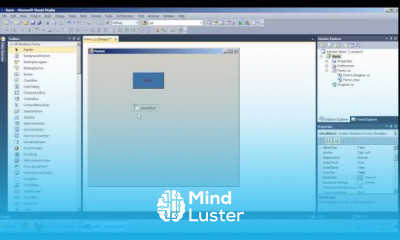
Introduction Basic Tools and Its Propeties In C Net Windows Application
Basic Addition In C Windows Application Tamil
Basic Calculator In C Net Tamil
How To Use Radio Button In C Net Windows Application Tamil
Combo Box In C NET Tamil
Check Box And Radio Button In C Net Tamil
List Box In C Net Tamil
Notify Icon and ContextMenu Strip In C NET Tamil
List Out Multiplication Tables in Richtext Box In C Net Windows Application Tamil
Click Event In C NET Tamil
Textchange Event In C Net Tamil
Creating SQL Database In C NET Tamil
C NET Windows Application Connect Database Part 1 Tamil
C NET Windows Application Connect Database Part 2 Tamil
C NET Windows Application Connect Database And Login Form Part 3 Tamil
Insert Data into Database In C Net Tamil
How To Load Data From Database To Combo Box In C NET
How To Load Datas From Database To Datagridview In C NET
Accesing System Application Using C Net In Tamil
Creating and Deleting Folder In C Net Tamil
Checking Directories In C Net Tamil
Creating Notepad in C Net Tamil Part 1
Creating Notepad in C Net Tamil Part 2
How To Create a DLL file in C Net in Tamil
Simple Way To Store Data Form Database To Datagridview in C Net in Tamil
Storing and Retrieving Images from SQL Server Using C Windows Application
Store Image in SqlServer or MDF file in C Net Windows Application By insert image Part 2
Store Image in SqlServer or MDF file in C Net Windows Application By Retrieve image Part 3
Save Image In Database And Display In PictureBox and Datagridview C Net Part 4
Simple Data Binding in C Net Windows Application
Complex Data Binding With List Control
Complex Data Binding With Grid Control
Data Binding Using Binding Navigator
How to Bind OLEDB dataset Using DataGridView
Code For Sorting and Filtering Using DataGridView in Tamil language
Manually Adding Rows And Columns in DataGridView
Code For Adding Button to DataGridView
Code Adding CheckBox To DataGridView
Code Adding ComboBox To DataGridview
Code For Adding Image To DataGridView

How to Get The Certificate
-
You must have an
Account
on the platform.
-
Complete all lessons.
-
Watch at least 50% of Lesson Duration.
-
Get your Certificate free 🎉 !
4.5
 (88 reviews)
Overall rating

Reviews
Be the First One Review This Course
Related Courses
View All


















Basic Tools in C Net Course Description
C# is a simple, modern, general-purpose, object-oriented programming language developed by Microsoft within its .NET initiative led by Anders Hejlsberg.
Focus on Learning, Not Ads
Experience the full power of Mindluster with Premium.
No distractions, just pure education.
Get Mindluster Premium
Cancel your subscription anytime
