Ms Access 2007 Course

4.8 (100 reviews)
  • 45 Lessons
  • 51 Students
  • Certificate of completion

SQL stands for “structured query language.” It is a generic language, originally invented by IBM, for accessing data in relational databases. Since the creation of SQL in the early 1970s, several proprietary adaptations have been formulated. Microsoft Access uses a version of SQL that is very close to the original, definitive language.

To Register in Course you have to watch at least 30 Second of any lesson

What You'll Learn

  • Create and manage relational databases using MS Access 2007 with SQL query skills
  • Design and implement efficient database tables, relationships, and data entry forms in MS Access 2007
  • Write and optimize SQL queries for data retrieval, updates, and data manipulation in MS Access 2007
  • Develop custom reports and data analysis tools using MS Access 2007 and SQL commands
  • Apply best practices for database normalization and data integrity in MS Access 2007 projects
  • Utilize MS Access 2007 features to automate tasks with macros and VBA scripting
  • Troubleshoot common database issues and optimize performance in MS Access 2007
  • Integrate MS Access 2007 with other Microsoft Office applications for seamless data sharing
  • Implement security measures and user access controls within MS Access 2007 databases
  • Create user-friendly forms and navigation interfaces for efficient data entry in MS Access 2007
  • Analyze large datasets and generate meaningful insights using MS Access 2007 tools
  • Develop comprehensive database solutions tailored to business and organizational needs

Course Content

45 Lessons • 4 h 38 m total

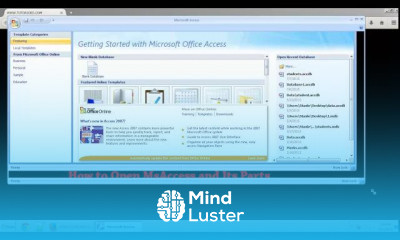
How to Open And Its Parts of Ms Access 2007

3:34

Create Blank Database In MS Access Tamil

3:39

Table Design In Microsoft Access Tamil

7:19

Create Simple Form In MS Access 2007 Tamil

6:53

Close Current Form and Opening Another Form In Microsoft Access 2007 Tamil

4:32

Addition of Two Numbers In Microsoft Access In Tamil

8:15

Combo Box In Microsoft Access Form in Tamil

9:13

Filtering Data From The Table Using Microsoft Access Form

18:26

How To Create Clear Button In Microsoft Access Form In Tamil

3:47

Insert Data Into Table Using Vba In Microsoft Access In Tamil Part 1

5:36

Insert Data Into Table Using Vba In Microsoft Access In Tamil Part 2

6:01

Update Data In Table Using VBA In Microsoft Access In Tamil Part 1

6:07

Update Data In Table Using VBA In Microsoft Access In Tamil Part 2

11:38

How to Create Registration Form In Ms Access Part 1

8:06

How to Create Registration Form In Ms Access Part 2

6:31

How to Create Registration Form In Ms Access Part 3

7:53

How to Create Registration Form In Ms Access Part 4

6:51

How to Create Registration Form In Ms Access Part 5

8:13

How to Create Registration Form In Ms Access Part 6

6:31

How to Update Table In Ms Access In Tamil Part 1

5:42

How to Update Table In Ms Access In Tamil Part 2

7:12

How to Update Table In Ms Access In Tamil Part 3

3:21

How to Delete Record From Table In Ms Access In Tamil Part 1

8:41

How to Delete Record From Table In Ms Access In Tamil Part 2

4:39

Check box And Its Events In Microsoft Access In Tamil Part 1

6:18

Check box And Its Events In Microsoft Access In Tamil Part 2

5:30

How To Add Item To ComboBox In Ms Access In Tamil

5:17

How To Add Item To ComboBox In MsAccess In Tamil Part 2

3:14

Option Button In Ms Access Form In Tamil

4:37

How to Create Login Form in Microsoft Access in Tamil Part 1

5:09

How to Create Login Form in Microsoft Access in Tamil Part 2

5:16

How to Create Login Form in Microsoft Access in Tamil Part 3

3:17

Passing Data from One Form to Another Form in Microsoft Access in Tamil

3:18

Validate Email Address In Ms Access Form In Tamil Part 1

6:18

Validate Email Address In Ms Access Form In Tamil Part 2

5:49

Insert Image Into Form Using VBA In Microsoft Access 2007 Tamil

4:16

Search as You Typing In Ms Access In Tamil Part 2

5:29

Search as You Typing In Ms Access In Tamil Part 1

6:14

Linking Two Combo Box In Microsoft Access 2007 In Tamil Part 1

5:59

Linking Two Combo Box In Microsoft Access 2007 In Tamil Part 2

3:54

How to Get The Certificate

  • You must have an Account on the platform.
  • Complete all lessons.
  • Watch at least 50% of Lesson Duration.
  • Get your Certificate free 🎉 !

Certificate Example

Mind Luster Certificate Template

4.8 (100 reviews)

Overall rating

  • 5.0 0%
  • 4.0 0%
  • 3.0 0%
  • 2.0 0%
  • 1.0 0%

Reviews

Prem Acharjee

· 1yr ago

Must watch ❤️

Ms Access 2007 Course Description

SQL stands for “structured query language.” It is a generic language, originally invented by IBM, for accessing data in relational databases. Since the creation of SQL in the early 1970s, several proprietary adaptations have been formulated. Microsoft Access uses a version of SQL that is very close to the original, definitive language.

Focus on Learning, Not Ads

Experience the full power of Mindluster with Premium.
No distractions, just pure education.

Get Mindluster Premium

Cancel your subscription anytime

Course Intro















