Ubaid 104
Good
 (78 reviews)
 21 Lessons
 70 Students
Too see the Effects panel In Photoshop Elements click on Window - Effects. Many of the functions in the Photoshop Elements Effects panel can be seen in Photoshop CS4 via the Filter - Filter Gallery... menu .
 To Register in Course you have to watch at least 30 Second of any lesson
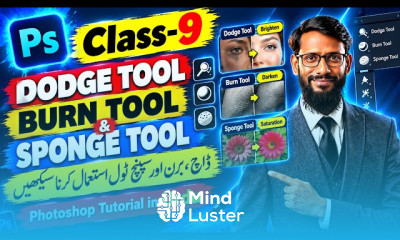
 Create advanced photo effects using Photoshop CS6 filters and layer styles for professional results
Apply creative text effects and typography enhancements with Photoshop CS6 tools and techniques
Design compelling visual compositions by combining multiple effects and adjustment layers in Photoshop CS6
Enhance images with realistic shadows, glows, and textures using Photoshop CS6 effects and blending modes
Utilize the Effects panel to add artistic filters and special effects for dynamic digital artwork
Implement non-destructive editing methods to apply effects safely and efficiently in Photoshop CS6
Develop custom effects by combining filters, masks, and adjustment layers for unique visual styles
Optimize image effects for web, print, and multimedia projects using Photoshop CS6 features
Troubleshoot common issues when applying effects and achieve consistent results in Photoshop CS6
Integrate Photoshop CS6 effects into professional workflows for branding, advertising, and digital design
21 Lessons • 1 h 44 m total
 You must have an
Account
on the platform.
Complete all lessons.
Watch at least 50% of Lesson Duration.
Get your Certificate free 🎉 !
4.4
(78 reviews)
Overall rating

Be the First One Review This Course
Good

Very good explanation

Too see the Effects panel In Photoshop Elements click on Window - Effects. Many of the functions in the Photoshop Elements Effects panel can be seen in Photoshop CS4 via the Filter - Filter Gallery... menu .
Experience the full power of Mindluster with Premium.
No distractions, just pure education.
Cancel your subscription anytime