×
MindLuster Logo

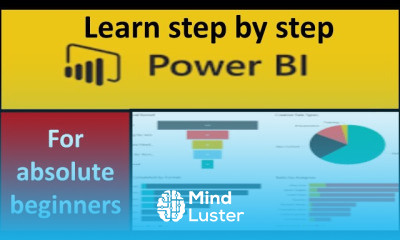
Microsoft BI

Track :

Programming

Lessons no : 26

For Free Certificate After Complete The Course

To Register in Course you have to watch at least 30 Second of any lesson

Join The Course Go To Community Download Course Content

What will you learn in this course?
  • Master data aggregation and transformation techniques using Microsoft Power BI for accurate insights
  • Create interactive dashboards and compelling visualizations to communicate business data effectively
  • Utilize Power BI's data modeling features to build relationships and enhance report accuracy
  • Implement data analysis expressions (DAX) to perform complex calculations and data analysis
  • Connect Power BI to various data sources including Excel, SQL Server, and cloud services
  • Share and collaborate on reports securely within organizational environments using Power BI Service
  • Optimize report performance and troubleshoot common issues for efficient data analysis
  • Apply best practices for data visualization to highlight key business insights and trends
  • Automate data refreshes and updates to maintain real-time business intelligence dashboards
  • Leverage Power BI's advanced features like AI insights and custom visuals for enhanced data storytelling

How to Get The Certificate

  • You must have an account Register
  • Watch All Lessons
  • Watch at least 50% of Lesson Duration
  • you can follow your course progress From Your Profile
  • You can Register With Any Course For Free
  • The Certificate is free !
Lessons | 26

Recommended Courses


We Appreciate Your Feedback

Be the First One Review This Course

Excellent
0 Reviews
Good
0 Reviews
medium
0 Reviews
Acceptable
0 Reviews
Not Good
0 Reviews
0
0 Reviews

Our New Certified Courses Will Reach You in Our Telegram Channel
Join Our Telegram Channels to Get Best Free Courses


Join Now

Related Courses

Microsoft Power BI is a business intelligence platform that provides nontechnical business users with tools for aggregating, analyzing, visualizing .