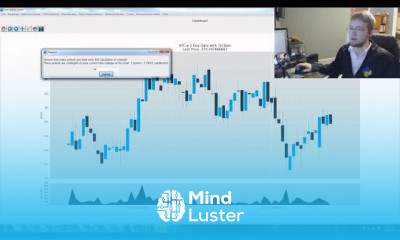
GUIs with Tkinter intermediate Course

 (114 reviews)
-
 29 Lessons
-
 16 Students
- Certificate of completion


Tkinter is the standard GUI library for Python. Python when combined with Tkinter provides a fast and easy way to create GUI applications. Tkinter provides a .
 To Register in Course you have to watch at least 30 Second of any lesson
What You'll Learn
-
 Create advanced Tkinter interfaces with custom widgets, layouts, and event handling for professional Python GUI applications
-
Design responsive and user-friendly GUI layouts using Tkinter grid, pack, and place geometry managers
-
Implement real-world Tkinter applications with multi-window, dialogs, and dynamic content updates
-
Apply best practices for Tkinter widget customization, styling, and theming to enhance user experience
-
Integrate Tkinter with Python data processing to develop interactive data visualization tools
-
Utilize Tkinter's canvas and drawing capabilities to create custom graphics and animations
-
Handle user input validation, error handling, and form submissions effectively in Tkinter GUIs
-
Develop modular, maintainable Tkinter code with reusable components and clear architecture
-
Debug and troubleshoot complex Tkinter applications to ensure stability and performance
-
Optimize Tkinter applications for responsiveness and efficiency in real-world deployment
Course Content
29 Lessons • 6 h 48 m total

Tkinter tutorial Python 3 4 creating a full scale Program GUI part 1
Object Oriented Programming Crash course with Python 3 Tkinter tutorial Python 3 4 p 2
Functions with Parameters with Tkinter GUI buttons Tkinter tutorial Python 3 4 p 3
Multiple Windows Frames in Tkinter GUI with Python Tkinter tutorial Python 3 4 p 4
Styling GUIs and windows in Python 3 Tkinter tutorial Python 3 4 p 5
How to add a Matplotlib Graph to Tkinter Window in Python 3 Tkinter tutorial Python 3 4 p 6
Live Matplotlib Graph in Tkinter Window in Python 3 Tkinter tutorial Python 3 4 p 7
Organizing our GUI window Tkinter tutorial Python 3 4 p 8
Plotting live bitcoin price data Tkinter GUI development series p 9
Customizing embedded graph Tkinter GUI development series p 10
Creating our GUI Main Menu Tkinter tutorial Python 3 4 part 11
Pop up message window Tkinter tutorial Python 3 4 part 12
Exchange choice option Tkinter tutorial Python 3 4 part 13
Timeframe and sample size option Tkinter tutorial Python 3 4 part 14
Adding indicator menu Tkinter tutorial Python 3 4 part 15
Adding Indicators cont d Tkinter tutorial Python 3 4 part 16
Adding indicators cont d Tkinter tutorial Python 3 4 part 17
Trading option start stop and help Tkinter tutorial Python 3 4 part 18
Adding a tutorial option Tkinter tutorial Python 3 4 part 19
Exchange choice change Tkinter tutorial Python 3 4 part 20
Adding other exchanges p 2 Tkinter tutorial Python 3 4 part 21
Adding other Exchanges p 3 Tkinter tutorial Python 3 4 part 22
Indicator Support Tkinter tutorial Python 3 4 part 23
Pulling from Sea of BTC API Tkinter tutorial Python 3 4 part 24
Setting up sub plots Tkinter tutorial Python 3 4 part 25
Graphing OHLC Candlestick Tkinter tutorial Python 3 4 part 26
Aquiring RSI data Tkinter tutorial Python 3 4 part 27
Adding the MACD indicator Tkinter tutorial Python 3 4 part 28
Converting tkinter to exe tutorial with cx Freeze Python 3 4 part 29
How to Get The Certificate
-
You must have an
Account
on the platform.
-
Complete all lessons.
-
Watch at least 50% of Lesson Duration.
-
Get your Certificate free 🎉 !
4.4
(114 reviews)
Overall rating

Reviews
Be the First One Review This Course
Related Courses
View All


















GUIs with Tkinter intermediate Course Description
Tkinter is the standard GUI library for Python. Python when combined with Tkinter provides a fast and easy way to create GUI applications. Tkinter provides a .
Focus on Learning, Not Ads
Experience the full power of Mindluster with Premium.
No distractions, just pure education.
Get Mindluster Premium
Cancel your subscription anytime
