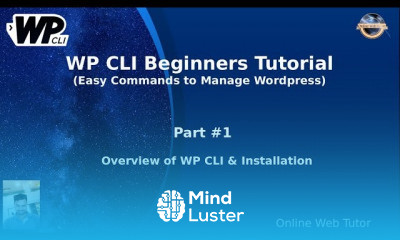
Wordpress WP CLI for beginners Course

 (38 reviews)
-
 17 Lessons
-
 2 Students
- Certificate of completion


WP-CLI is the official command line tool for interacting with and managing your WordPress sites. Need help with something? Please review your available support .
 To Register in Course you have to watch at least 30 Second of any lesson
What You'll Learn
-
 Master basic WP-CLI commands to efficiently manage WordPress sites and automate routine tasks using command line tools
-
Navigate and troubleshoot WordPress installations with WP-CLI for improved website performance and security
-
Install, update, and delete themes and plugins seamlessly through WP-CLI for streamlined website customization
-
Create, manage, and export WordPress content such as posts, pages, and users using command line interfaces
-
Optimize WordPress database and perform backups with WP-CLI to ensure website stability and data safety
-
Configure WordPress settings and perform site migrations efficiently via command line tools
-
Identify and resolve common WordPress issues using WP-CLI diagnostic commands and troubleshooting techniques
-
Enhance website management skills by integrating WP-CLI into daily WordPress maintenance routines
Course Content
17 Lessons • 3 h 5 m total

Wordpress WP CLI Tutorials for Beginners 1 Overview of WP CLI Installation
Wordpress WP CLI Tutorials for Beginners 2 WP CLI Commands List Download Wordpress Setup
Wordpress WP CLI Tutorials for Beginners 3 Generates Configuration file for Wordpress Setup via CLI
Wordpress WP CLI Tutorials for Beginners 4 Wordpress Installation using CLI command Set Options
Wordpress WP CLI Tutorials for Beginners 5 Manage Post via CLI Command | List Command of Post
Wordpress WP CLI Tutorials for Beginners 6 Advance Post List Commands in WP CLI | OrderBy Not IN
Wordpress WP CLI Tutorials for Beginners 7 Create Post Post Page by using WP CLI Command
Wordpress WP CLI Tutorials for Beginners 8 Delete Single Post Multiple Posts Using WP CLI
Wordpress WP CLI Tutorials for Beginners 9 Update Post Page Using WP CLI
Wordpress WP CLI Tutorials for Beginners 10 Auto Generate WP Posts Page Using WP CLI
Wordpress WP CLI Tutorials for Beginners 11 Manage Plugins List Get Path WP CLI Command
Wordpress WP CLI Tutorials for Beginners 12 Manage Plugins Installs Activates WP CLI Command
Wordpress WP CLI Tutorials for Beginners 13 Manage Plugins Deactivate Delete WP CLI Command
Wordpress WP CLI Tutorials for Beginners 14 Manage Users List Capabilities WP CLI Command
Wordpress WP CLI Tutorials for Beginners 15 Manage Users Create Generate WP CLI Command
Wordpress WP CLI Tutorials for Beginners 16 Manage Users Update Delete WP CLI Command
Wordpress WP CLI Tutorials for Beginners 17 Manage User Roles List Create WP CLI Command
How to Get The Certificate
-
You must have an
Account
on the platform.
-
Complete all lessons.
-
Watch at least 50% of Lesson Duration.
-
Get your Certificate free 🎉 !
4.0
(38 reviews)
Overall rating

Reviews
Be the First One Review This Course
Related Courses
View All


















Wordpress WP CLI for beginners Course Description
WP-CLI is the official command line tool for interacting with and managing your WordPress sites. Need help with something? Please review your available support .
Focus on Learning, Not Ads
Experience the full power of Mindluster with Premium.
No distractions, just pure education.
Get Mindluster Premium
Cancel your subscription anytime
