
 5 Lessons
 1 Students


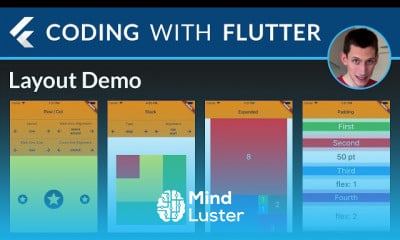
Flutter allows us to create a layout by composing multiple widgets to build more complex widgets. For example, we can see the below image that shows three icons .
 To Register in Course you have to watch at least 30 Second of any lesson
What You'll Learn
-
 Master how to design responsive Flutter layouts using Rows, Columns, and Containers for diverse screen sizes
-
Implement complex UI structures by combining Flutter widgets like Stack, GridView, and ListView effectively
-
Optimize Flutter app layouts for performance and user experience across different devices and orientations
-
Apply best practices for arranging widgets to create visually appealing and functional mobile app interfaces
Course Content
5 Lessons • 3 h 4 m total

Flutter Layouts Walkthrough Row Column Stack Expanded Padding
Flutter Layouts Walkthrough PageView ListView GridView Slivers CustomScrollView
Flutter Slivers Overview SliverAppBar SliverPersistentHeader
Flutter Slivers Overview SliverList SliverGrid SliverToBoxAdapter SliverFillRemaining
Flutter Tutorial for Beginners Layout Basics
How to Get The Certificate
-
You must have an
Account
on the platform.
-
Complete all lessons.
-
Watch at least 50% of Lesson Duration.
-
Get your Certificate free 🎉 !
4.5
 (196 reviews)
Overall rating

Reviews
Be the First One Review This Course
Related Courses
View All


















Flutter Layouts Course Description
Flutter allows us to create a layout by composing multiple widgets to build more complex widgets. For example, we can see the below image that shows three icons .
Focus on Learning, Not Ads
Experience the full power of Mindluster with Premium.
No distractions, just pure education.
Get Mindluster Premium
Cancel your subscription anytime
