×
MindLuster Logo

File format Excel

Track :

Programming

Lessons no : 4

For Free Certificate After Complete The Course

To Register in Course you have to watch at least 30 Second of any lesson

Join The Course Go To Community Download Course Content
What will you learn in this course?
  • Create, edit, and save XLSX files using Microsoft Excel for data analysis and organization
  • Apply advanced Excel features like formulas, functions, and cell formatting within XLSX files
  • Utilize Excel's data visualization tools such as charts and pivot tables in XLSX spreadsheets
  • Troubleshoot and optimize XLSX files for efficient data management and sharing

How to Get The Certificate

  • You must have an account Register
  • Watch All Lessons
  • Watch at least 50% of Lesson Duration
  • you can follow your course progress From Your Profile
  • You can Register With Any Course For Free
  • The Certificate is free !
Lessons | 4


We Appreciate Your Feedback

Excellent
18 Reviews
Good
19 Reviews
medium
6 Reviews
Acceptable
0 Reviews
Not Good
0 Reviews
4.3
43 Reviews

Reaction Video

VERY NICE
2025-11-12

Indhu Esai

Very nice
2025-04-01

Fikrey Roslan

nice
2024-06-16

Abinaya

Good
2024-05-24

Sawera mujahid

It's a good platform to learn more efficiently
2024-05-20

sara k26

Love it 
2024-04-29

Jyoti Pandey

Great
2024-04-26

Ramadharshini

Nice
2024-04-25

Meet Neet

It was good
2024-04-23

Elizabeth Mooney

wasn't microsoft excel, it was syncfusion. Learn something new.
2024-04-22

Prasad k

good
2024-04-16

Sreelakshmi.c

Good
2024-04-16

Show More Reviews

Our New Certified Courses Will Reach You in Our Telegram Channel
Join Our Telegram Channels to Get Best Free Courses


Join Now

Related Courses

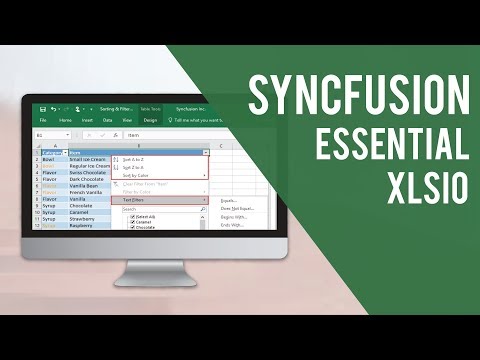
XLSX files are the standard extension for the modern Microsoft Excel spreadsheet files. They are a zip-compressed XML spreadsheet file used to analyze and organize data. They contain numerical data separated by rows and columns within a cell. It is a modern, updated version of the original Excel file format .