
 17 Lessons
 1 Students


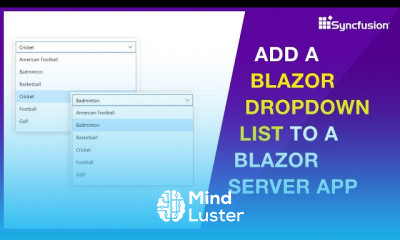
The DropDownList for Blazor allows you to select an item from a list of predefined values. You can control the data, sizes, and various appearance options.
 To Register in Course you have to watch at least 30 Second of any lesson
What You'll Learn
-
 Create dynamic Blazor dropdowns with data binding and custom styling for seamless user experience
-
Implement event handling to capture user selections and update application state in Blazor dropdown components
-
Configure dropdown sizes, appearance, and behavior to match diverse UI design requirements in Blazor applications
-
Integrate Blazor dropdowns with external data sources for real-time data display and interaction
-
Apply validation techniques to ensure correct user input in Blazor dropdown lists
-
Optimize dropdown performance for large datasets using virtualization and efficient data management in Blazor
-
Customize dropdown templates and item rendering for enhanced visual appeal and usability in Blazor apps
-
Troubleshoot common issues related to Blazor dropdowns, including data binding, styling, and responsiveness
Course Content
17 Lessons • 1 h 55 m total

Add a Blazor Dropdown List to a Blazor Server App
How to Filter and Group the Blazor Dropdown List Items
How to Create a Cascading Dropdown List in Blazor
Customize the Appearance of a Blazor Dropdown List Using Templates
Add a MultiSelect Dropdown to a Blazor WebAssembly App
How to Filter and Group the Blazor MultiSelect Dropdown Items
Customize Blazor MultiSelect Dropdown Items Using Templates
Add a Blazor ComboBox Component to a Blazor Server App
How to Filter and Group the Blazor ComboBox Items
How to Create a Cascading ComboBox in Blazor
Customize the Appearance of a Blazor ComboBox Using Templates
Add a Blazor ListBox Component to a Blazor Server App
How to Group the Blazor ListBox Items
Add a Blazor AutoComplete Component to a Blazor Server App
How to Filter and Group the Blazor AutoComplete Items
Customize the Appearance of a Blazor AutoComplete Using Templates
How to Add the Blazor Dropdown Menu to a Blazor WebAssembly App
How to Get The Certificate
-
You must have an
Account
on the platform.
-
Complete all lessons.
-
Watch at least 50% of Lesson Duration.
-
Get your Certificate free 🎉 !
4.8
 (190 reviews)
Overall rating

Reviews
Be the First One Review This Course
Related Courses
View All


















Blazor Dropdowns Course Description
The DropDownList for Blazor allows you to select an item from a list of predefined values. You can control the data, sizes, and various appearance options.
Focus on Learning, Not Ads
Experience the full power of Mindluster with Premium.
No distractions, just pure education.
Get Mindluster Premium
Cancel your subscription anytime
