
 69 Lessons
 412 Students


Nasimul Alam Saiem
Sus
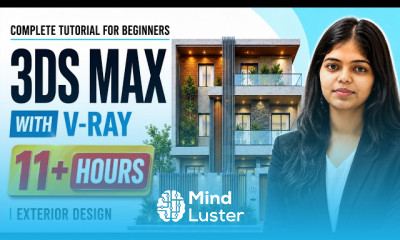
Autodesk 3ds Max, formerly 3D Studio and 3D Studio Max, is a professional 3D computer graphics program for making 3D animations, models, games and images. It is developed and produced by Autodesk Media and Entertainment. It has modeling capabilities and a flexible plugin architecture and must be used on the Microsoft Windows platform. It is frequently used by video game developers, many TV commercial studios, and architectural visualization studios. It is also used for movie effects and movie pr.. Use 3ds Max software for 3D modeling, animation, rendering, and visualization. Buy a 3ds Max subscription from the official Autodesk store or a reseller.
 To Register in Course you have to watch at least 30 Second of any lesson
 Create detailed 3D models using 3ds Max modeling tools and techniques for games, movies, and visualization projects
Apply advanced texturing, shading, and material editing skills to enhance 3D assets in 3ds Max
Develop realistic animations and motion sequences for characters, objects, and scenes in 3ds Max
Utilize rendering workflows and lighting setups to produce high-quality visualizations and cinematic effects
Implement efficient scene management and optimization strategies for complex 3D projects in 3ds Max
Integrate plugins and scripts to extend 3ds Max functionality for specialized modeling and animation tasks
Create professional architectural visualizations and product renderings with realistic lighting and materials
Troubleshoot common issues in 3ds Max workflows to ensure smooth project development and delivery
Apply UV mapping and unwrapping techniques for accurate texturing of 3D models in 3ds Max
Use camera setups and animation paths to craft compelling visual narratives and walkthroughs
Export and prepare 3D assets for game engines, VR, and AR applications from 3ds Max
Implement particle effects, dynamics, and simulations to add realism to animations and scenes
Optimize rendering settings and workflows for efficient production of high-quality images and animations
Collaborate effectively with teams using 3ds Max in multidisciplinary environments for creative projects
69 Lessons • 28 h 36 m total

 You must have an
Account
on the platform.
Complete all lessons.
Watch at least 50% of Lesson Duration.
Get your Certificate free 🎉 !
2.8
 (9 reviews)
Overall rating

Be the First One Review This Course
Sus

please provide the beginning videos
not good
Good

Help me I can't get certificate some of videos are not playing
Good
very good

Good
Good course

Autodesk 3ds Max, formerly 3D Studio and 3D Studio Max, is a professional 3D computer graphics program for making 3D animations, models, games and images. It is developed and produced by Autodesk Media and Entertainment. It has modeling capabilities and a flexible plugin architecture and must be used on the Microsoft Windows platform. It is frequently used by video game developers, many TV commercial studios, and architectural visualization studios. It is also used for movie effects and movie pr.. Use 3ds Max software for 3D modeling, animation, rendering, and visualization. Buy a 3ds Max subscription from the official Autodesk store or a reseller.
Experience the full power of Mindluster with Premium.
No distractions, just pure education.
Cancel your subscription anytime