


Sukhvinder Singh
Good and next level experience
 (4 reviews)
 11 Lessons
 110 Students
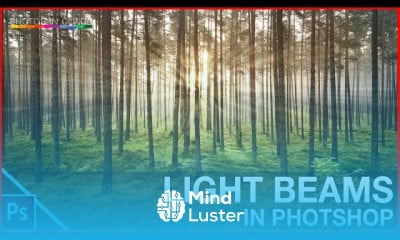
Photoshop Techniques And Professional Tutorials Setting Up Photoshop For Web, App and iPhone Development. Most people who have designed websites or apps in Photoshop... Establishing Your Grid. Creating a grid is typically one of the very first things you do when starting a design comp. Exporting. Congratulations. You’ve just completed a pixel-perfect mock-up of an app What are the tutorials for Adobe Photoshop for beginners? Welcome to the Get Started with Photoshop tutorials that teach you the basic tools and techniques of Adobe Photoshop. This tutorial introduces you to the Photoshop work area and shows you how to open and save your images, zoom in and out, and undo mistakes. Open images, and create new images
 To Register in Course you have to watch at least 30 Second of any lesson
 Master Photoshop tools for web, app, and iPhone design projects effectively
Apply grid setup techniques to create balanced and professional layouts in Photoshop
Utilize export settings to produce pixel-perfect mock-ups for digital development
Navigate Photoshop workspace efficiently for image editing and design workflows
Implement basic photo editing techniques to enhance visual quality and clarity
Create and manage layers to organize complex design compositions seamlessly
Use selection and masking tools for precise editing and creative effects
Optimize images for web, mobile, and app interfaces to improve user experience
11 Lessons • 2 h 20 m total
 You must have an
Account
on the platform.
Complete all lessons.
Watch at least 50% of Lesson Duration.
Get your Certificate free 🎉 !
4.8
(4 reviews)
Overall rating

Be the First One Review This Course
Good and next level experience

great

like it
Great Courses!

Photoshop Techniques And Professional Tutorials Setting Up Photoshop For Web, App and iPhone Development. Most people who have designed websites or apps in Photoshop... Establishing Your Grid. Creating a grid is typically one of the very first things you do when starting a design comp. Exporting. Congratulations. You’ve just completed a pixel-perfect mock-up of an app What are the tutorials for Adobe Photoshop for beginners? Welcome to the Get Started with Photoshop tutorials that teach you the basic tools and techniques of Adobe Photoshop. This tutorial introduces you to the Photoshop work area and shows you how to open and save your images, zoom in and out, and undo mistakes. Open images, and create new images
Experience the full power of Mindluster with Premium.
No distractions, just pure education.
Cancel your subscription anytime