
 8 Lessons
 22 Students



Raffaele Greco
A Quick start on designing Moodle template
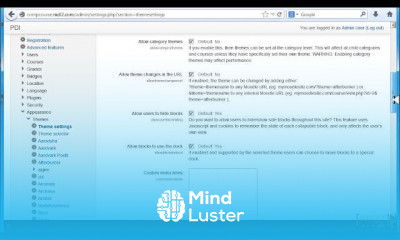
Choose your new theme from within Moodle via Administration > Appearance > Themes > Theme selector. Your new theme! Because of the thousands of HTML elements in Moodle it's impossible to account for every possible change you may want to make to your theme .
 To Register in Course you have to watch at least 30 Second of any lesson
 Create custom Moodle themes to enhance user experience and interface design using HTML and CSS skills
Customize Moodle appearance by selecting and applying themes through administration settings effectively
Modify Moodle themes to align with branding, accessibility, and usability standards for diverse learners
Troubleshoot common issues in Moodle theme customization to ensure seamless functionality and visual consistency
Implement responsive Moodle themes that adapt across devices for optimal learner engagement
Utilize Moodle theme settings to improve navigation, aesthetics, and overall course presentation
8 Lessons • 31 m total
 You must have an
Account
on the platform.
Complete all lessons.
Watch at least 50% of Lesson Duration.
Get your Certificate free 🎉 !
4.5
 (196 reviews)
Overall rating

Be the First One Review This Course
A Quick start on designing Moodle template
Good

Choose your new theme from within Moodle via Administration > Appearance > Themes > Theme selector. Your new theme! Because of the thousands of HTML elements in Moodle it's impossible to account for every possible change you may want to make to your theme .
Experience the full power of Mindluster with Premium.
No distractions, just pure education.
Cancel your subscription anytime


















